Everyone on your crew, accounted for.
Your crew is your business. Tracking who’s certified, who’s on site, and who actually showed up shouldn’t live in a group chat and a binder. CrewOS gives you one roster where compliance, field checklists, and hours all roll up. An expired cert stops a clock-in before it becomes your problem.
Crew
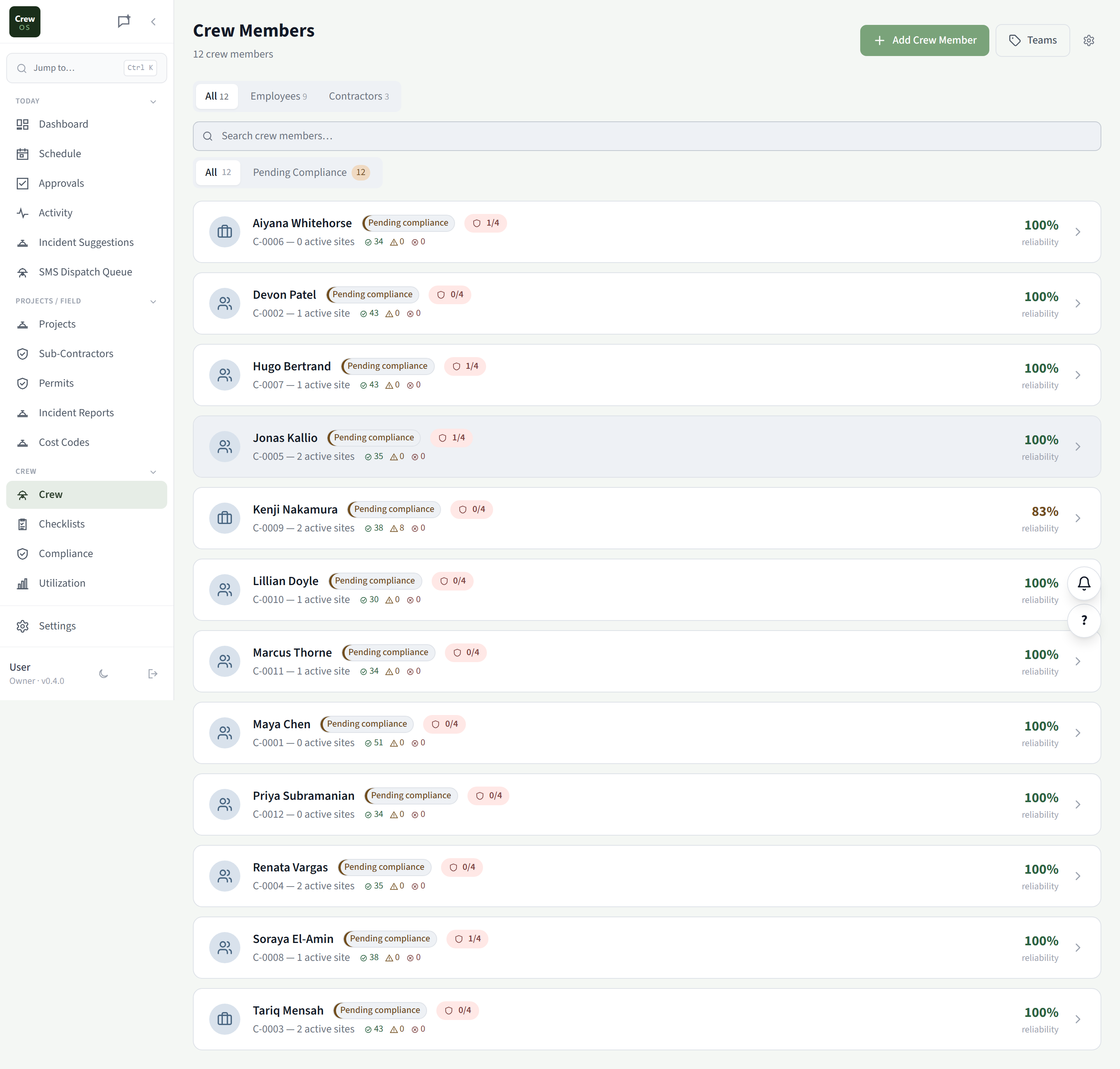
One roster, with compliance built right in.
Every worker in one list: role, team, today’s status, and how many of their required documents are current. The compliance gate runs underneath it all: a worker with an expired or missing cert simply can’t clock in until it’s resolved. No spreadsheet to cross-check, no liability slipping through.
Checklists
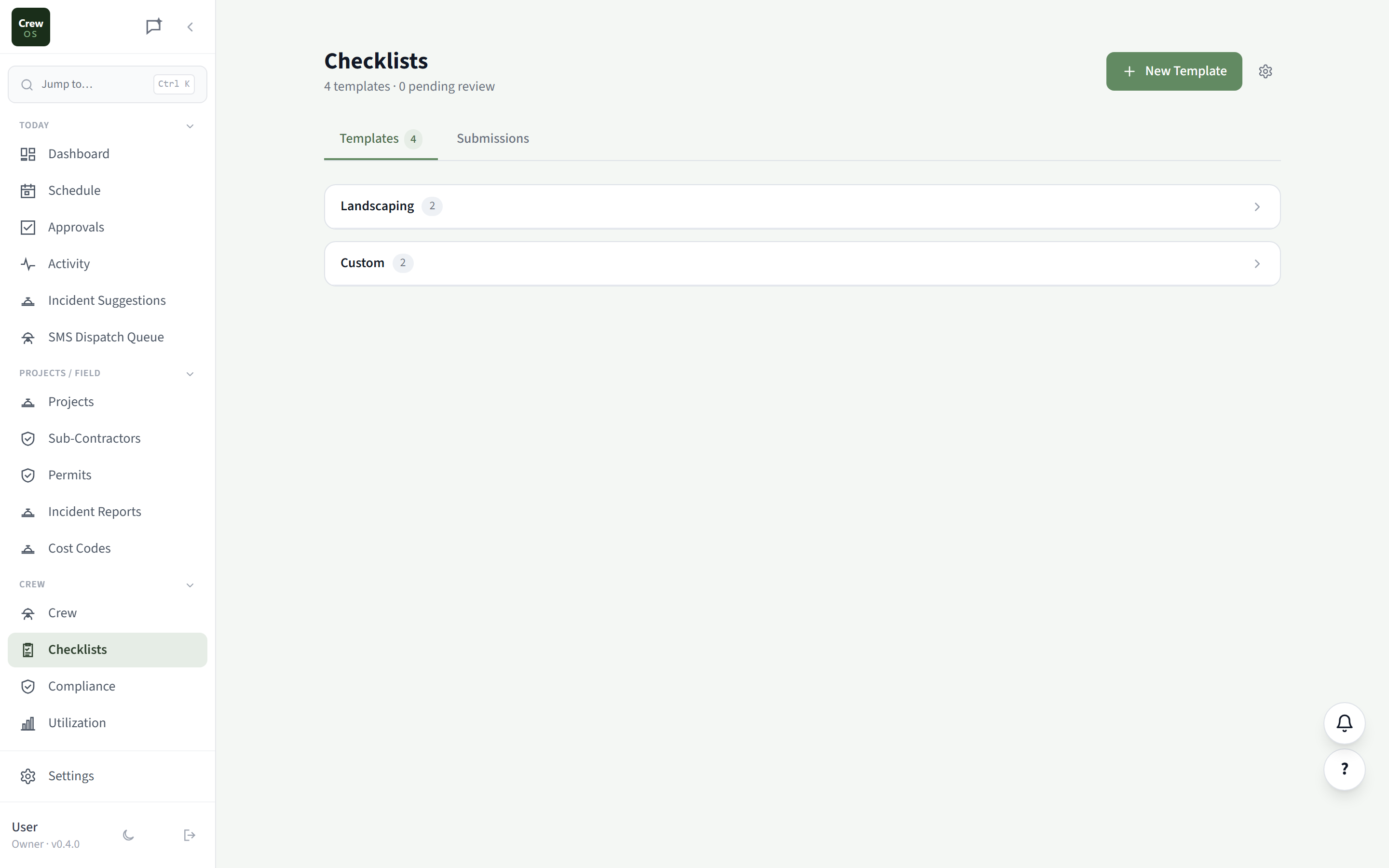
Safety inspections and toolbox talks, done from a phone.
Build a checklist once (daily site safety, equipment pre-use, scaffold tags, concrete pour sign-offs) and your crew fill them in from the field. Submissions roll up here for review, and anything still pending is flagged so nothing gets signed off without eyes on it.
Compliance
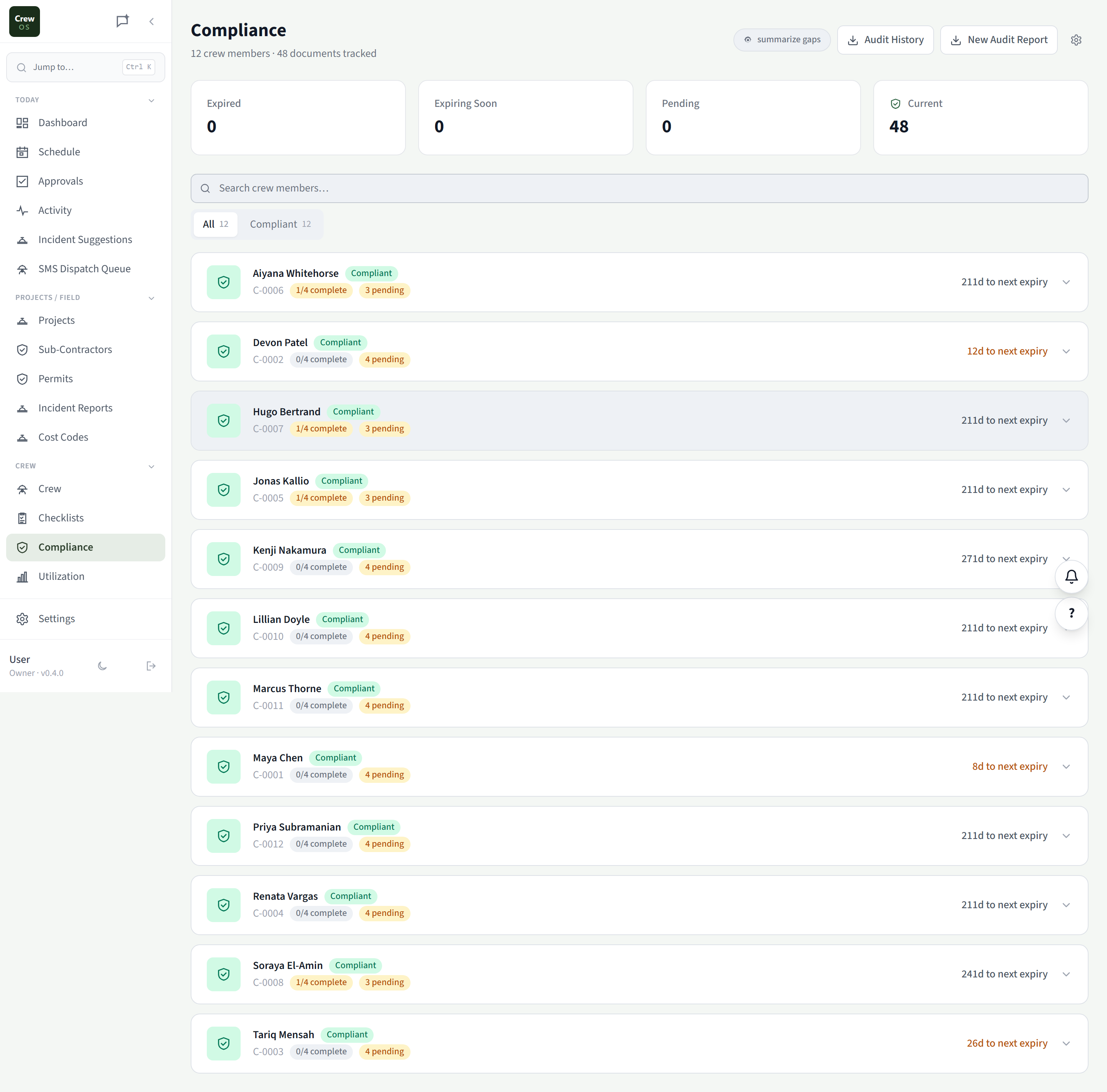
Every expired and expiring cert, at a glance.
A live view of every document you track, with expired, expiring-soon, pending, and current counts up top. Drill into any worker to see exactly which docs they’re missing, chase the whole crew for what’s outstanding in one click, and export a clean audit report when a regulator or GC asks.
Utilization
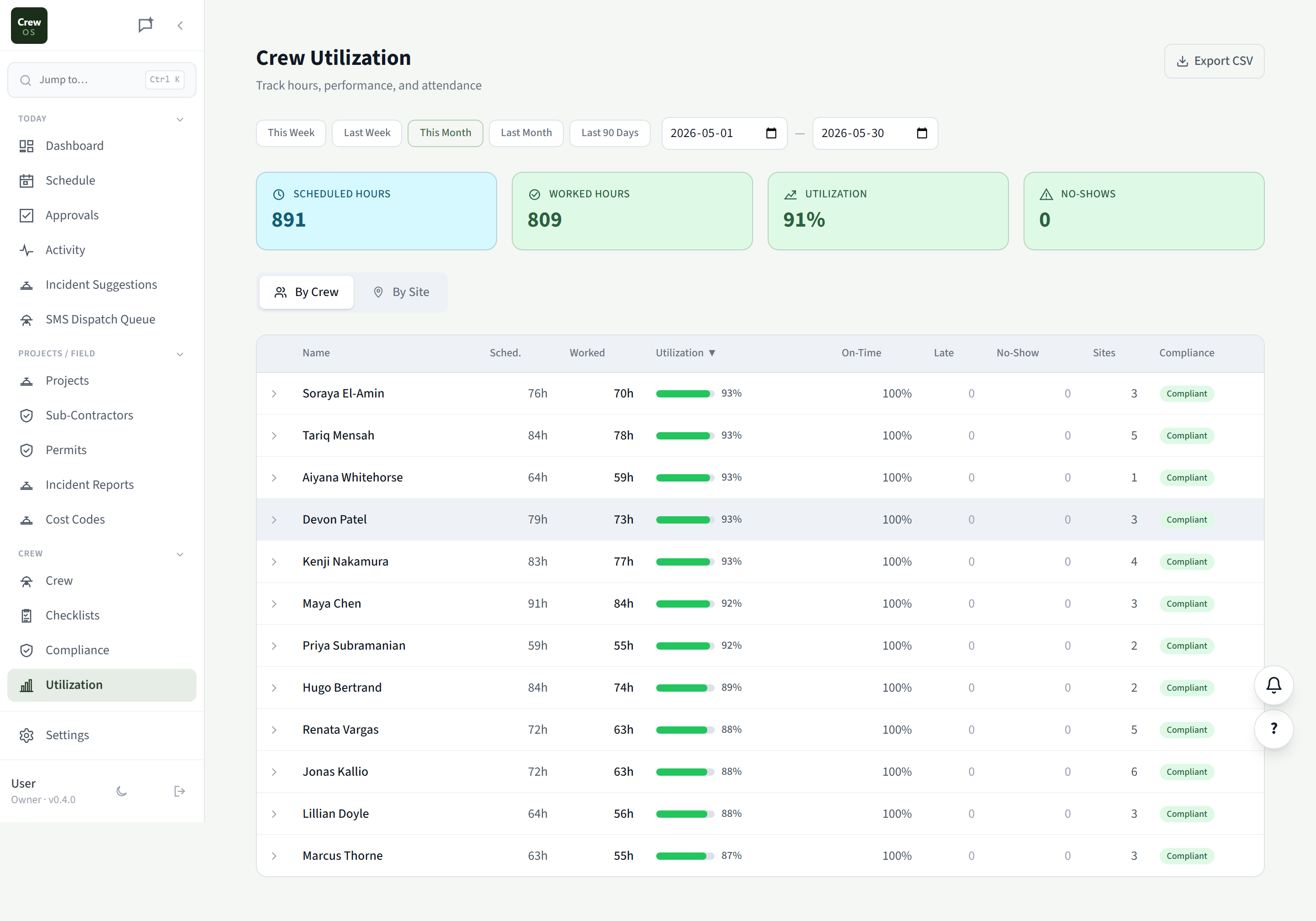
Know who’s actually working the hours you scheduled.
Track scheduled hours versus worked hours, on-time rate, late count, and no-shows, per worker or per job site, over any date range. It’s the difference between a crew you think is busy and a crew you can prove is productive. Export it all to CSV for payroll or a client.
Settings · Crew
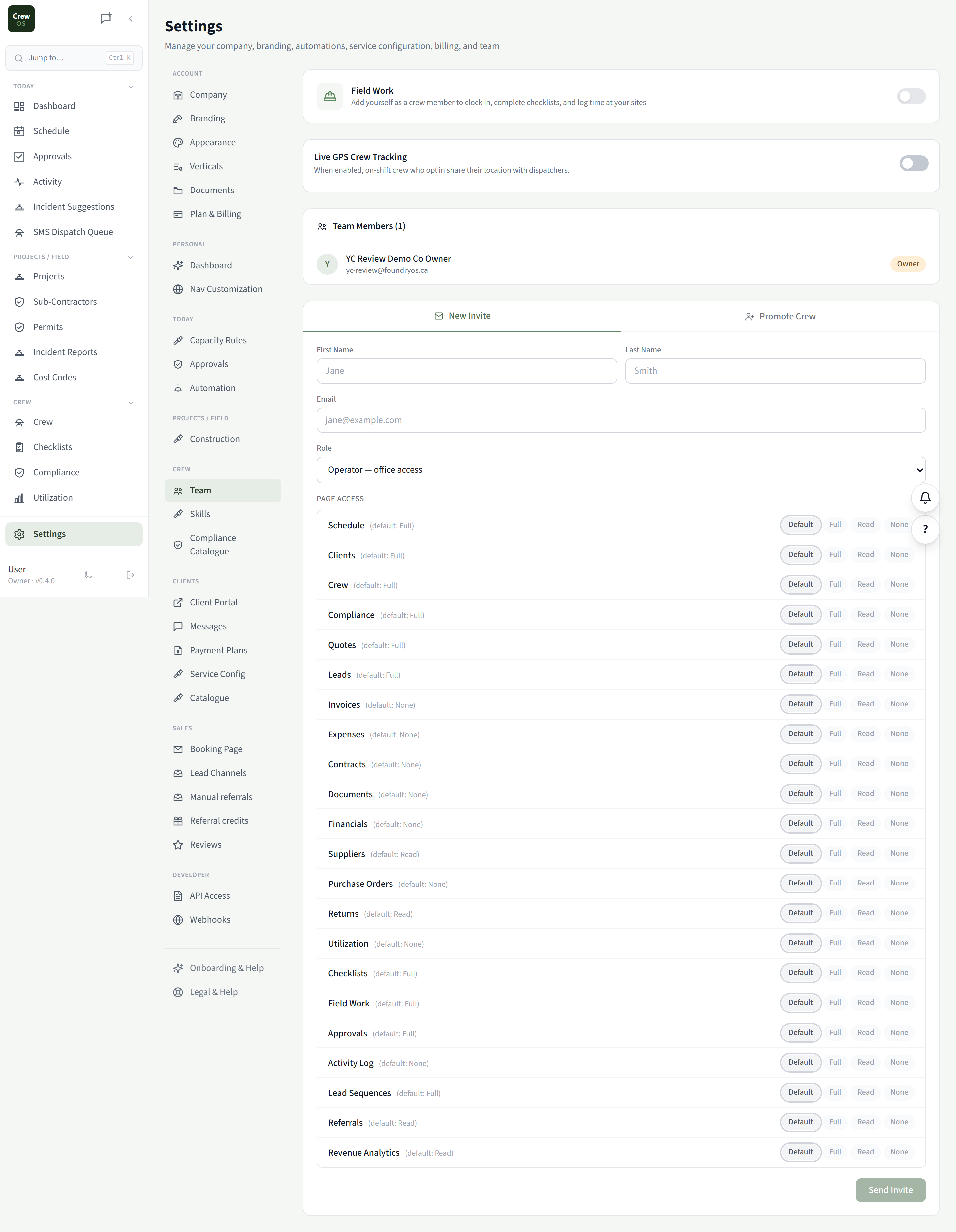
Team
Invite operators and control exactly what they see.
Bring office staff into CrewOS as operators, with page-by-page access you set yourself: Full, Read, or None for Schedule, Clients, Compliance, Financials, and the rest. Crew get the Crew Portal only. Promote a trusted worker to operator in a click, and turn on live GPS tracking on Pro.
Settings · Crew
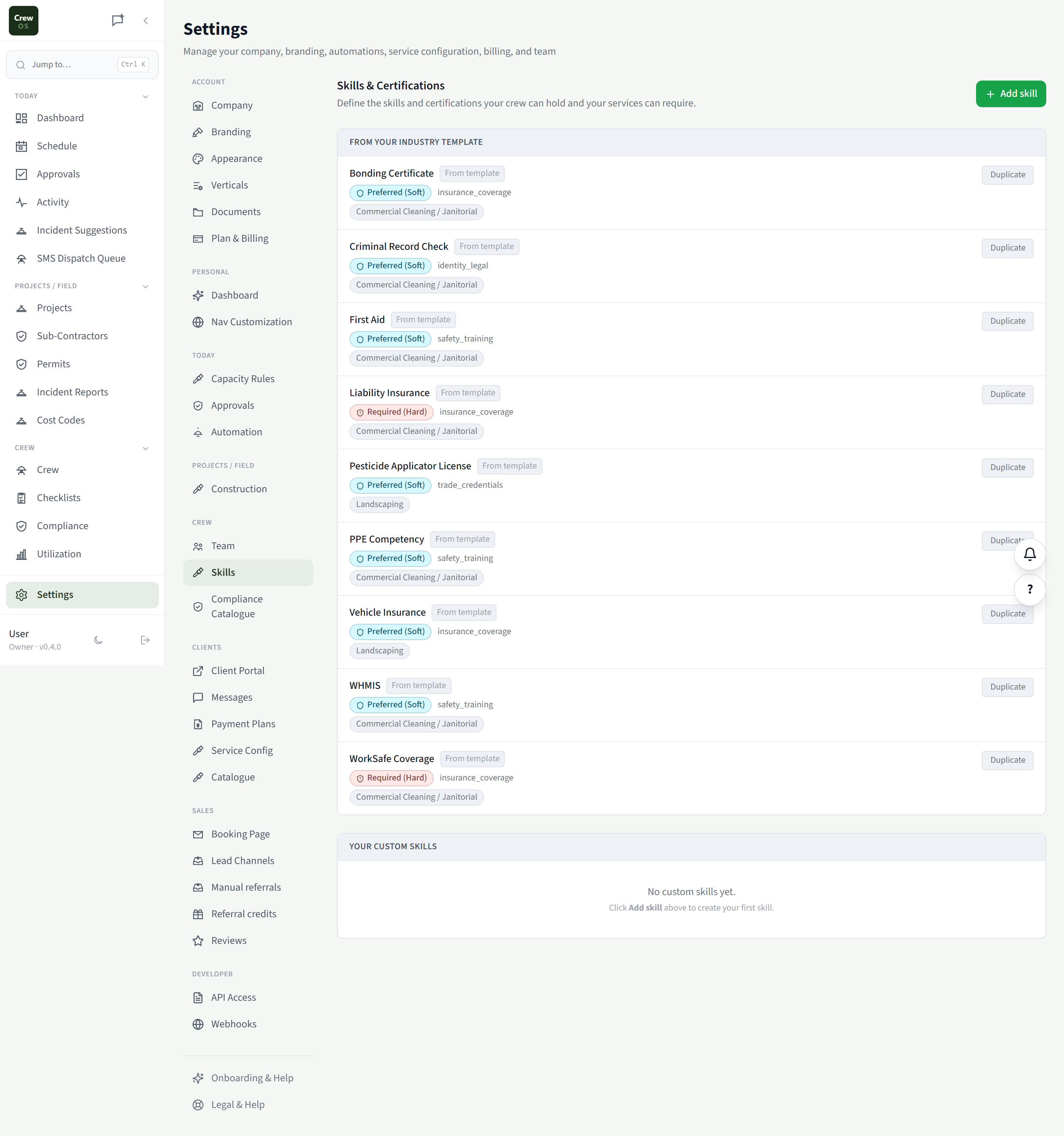
Skills
Define the skills and certs your jobs require.
Keep a catalog of every skill and certification your crew can hold: WHMIS, Working at Heights, trade licences, equipment tickets. Mark each as preferred (warn when unmet) or required (block the assignment), so the right person is always matched to the right job.
Settings · Crew
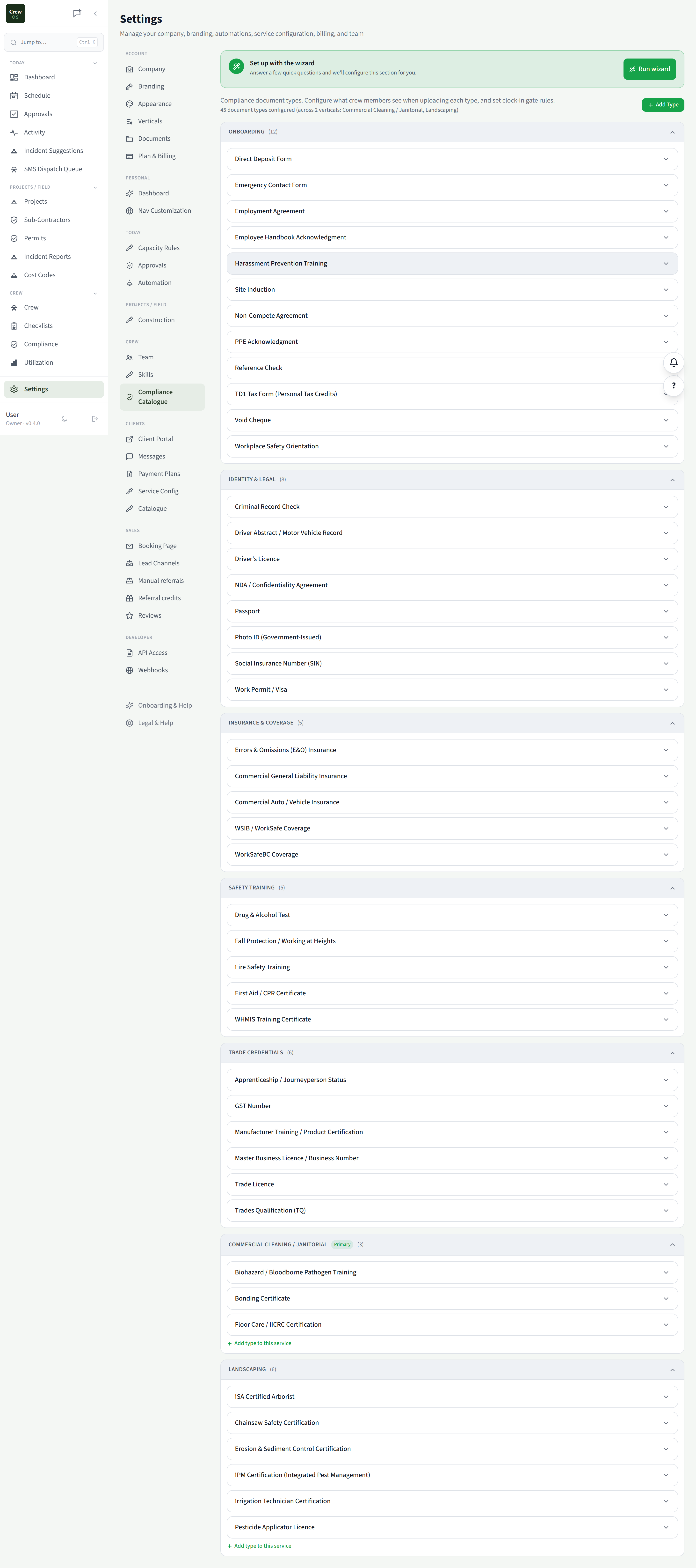
Compliance Catalogue
Decide which documents actually gate clock-in.
Every compliance document type is organized by category: onboarding, insurance, safety training, trade credentials. Configure what crew see when they upload each one, and flip the switch on which documents block a clock-in. It’s province-aware, so the right requirements show up for where you work.
Run your crew like you've got it together. Because now you do.
Set up your first site in an afternoon. Free to start, no card required.