An assistant that actually runs the busywork.
Most software adds a chatbot and calls it AI. CrewOS gives you an assistant wired into your real operation: one that drafts the quote, moves the appointment, and chases the invoice, with you deciding exactly what it’s allowed to touch. It works inside your data, on your rules, with a record of everything it does.
Workbench
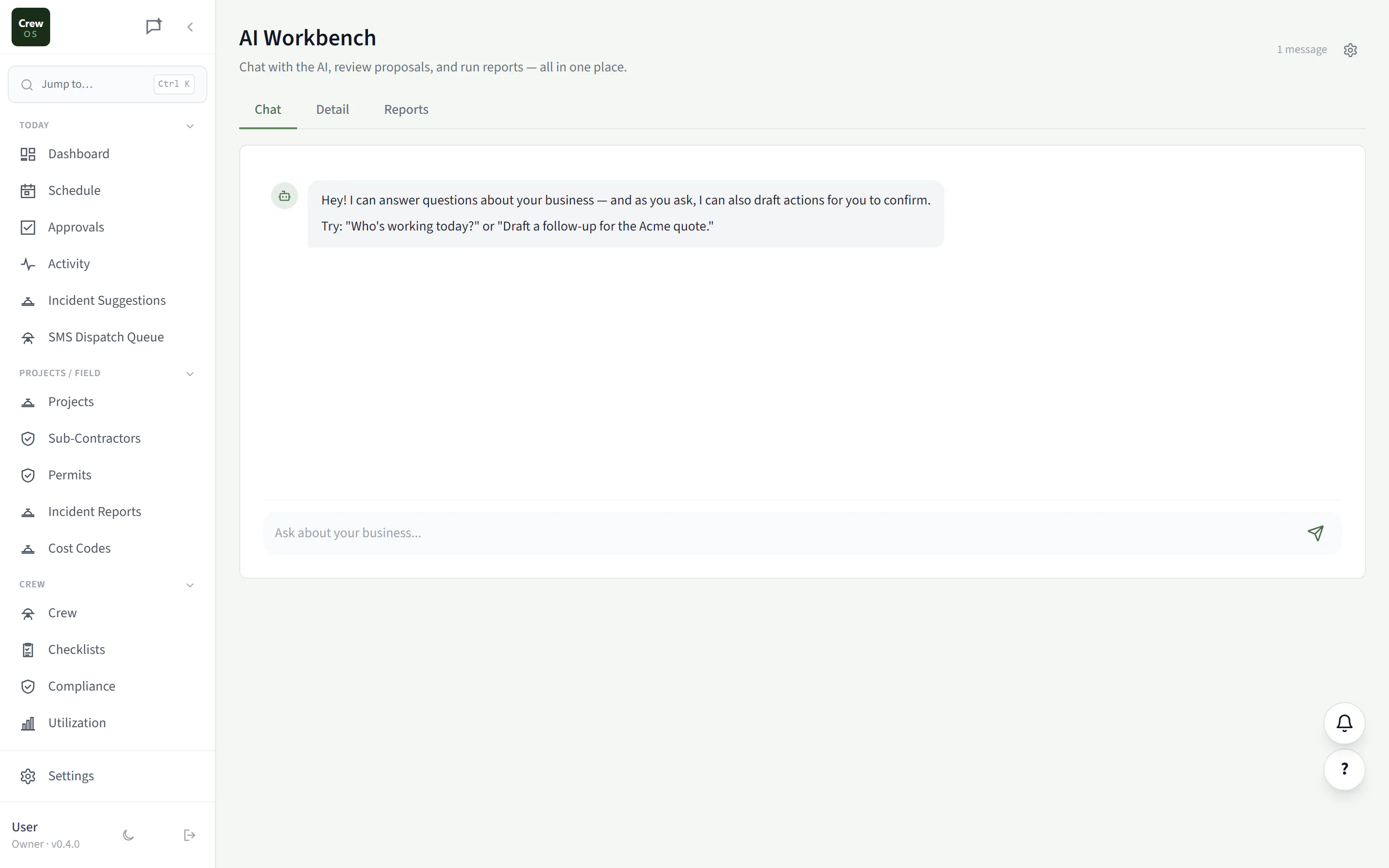
Ask in plain language. Watch it do the work.
Draft a follow-up, summarize a job, pull a list of overdue invoices, reschedule a crew. You ask, and the assistant proposes the action against your live data. You review and approve before anything happens, so it’s a power tool, not a loose cannon.
One request, the whole job
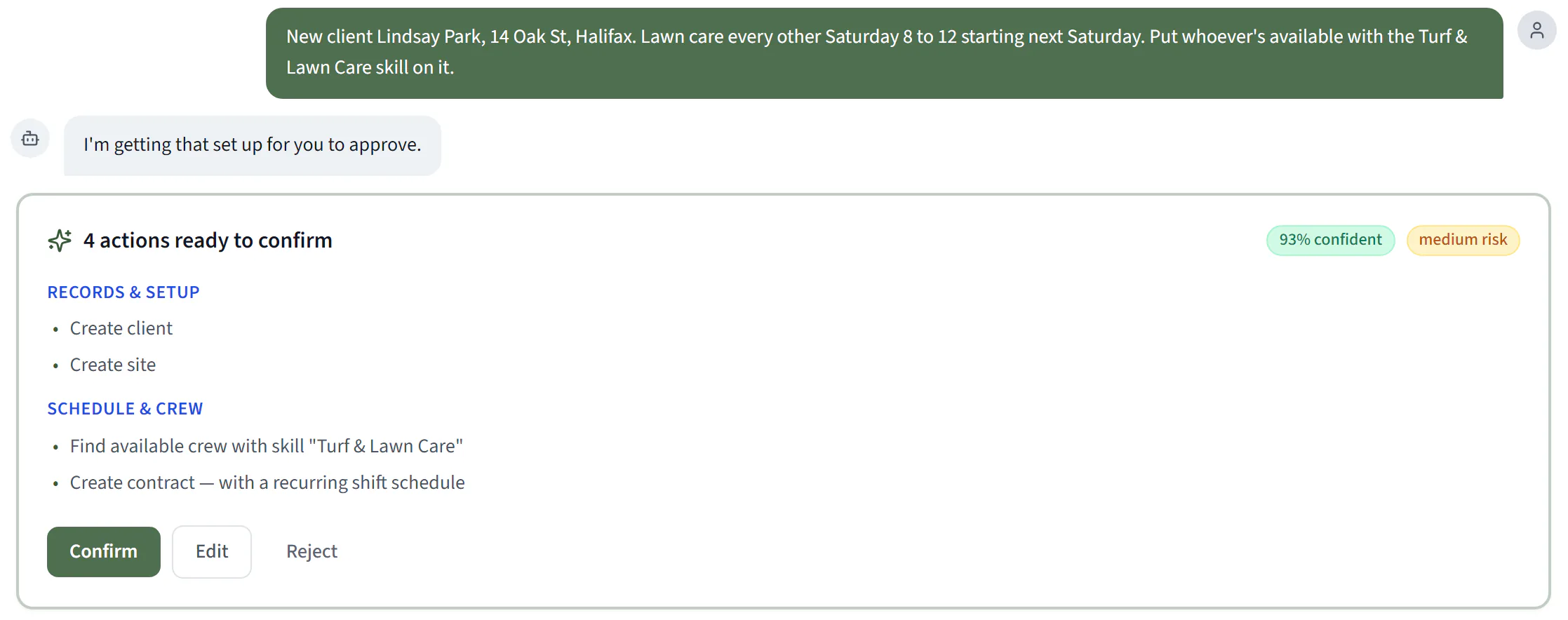
Describe the job once. Confirm the plan.
Write one paragraph: a new client, their site, the contract, the crew that holds the right skill, the recurring visits. The Workbench turns it into one card of steps, and each step uses the record the step before it created. Nothing is written until you press Confirm, and if a detail is missing, like an email address, it asks you instead of guessing.
The AI Workbench is on the Pro plan.
Reports
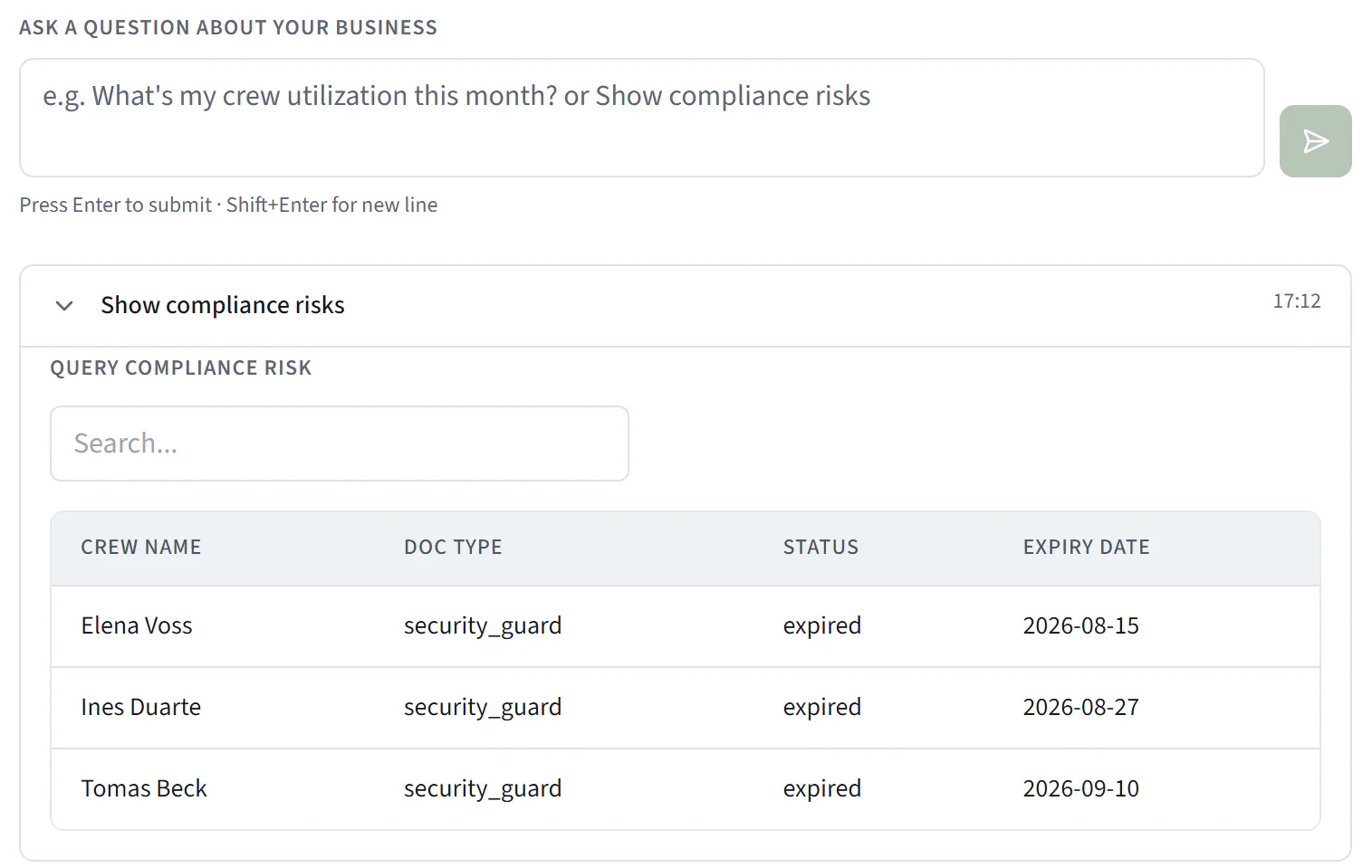
Ask a business question. Get the answer from your own records.
Compliance risk, invoice aging, the quote pipeline, job profitability, WIP, revenue collected, the revenue forecast, labour cost, crew utilization. Ask in plain words and the answer comes back as a table built from your data, not a guess.
Communications
Every message the AI sends, and whether it arrived.
One page lists every email and text the Workbench sends on your behalf, with its real status: Delivered, Delivery failed and the reason, Held for review, Awaiting approval, Scheduled. Held messages can be sent now or discarded, and they show up on your dashboard so nothing sits unnoticed.
Pro plan. Delivery tracking covers email; the page lists messages the AI Workbench sends.

Send policy
Decide which AI messages go out on their own.
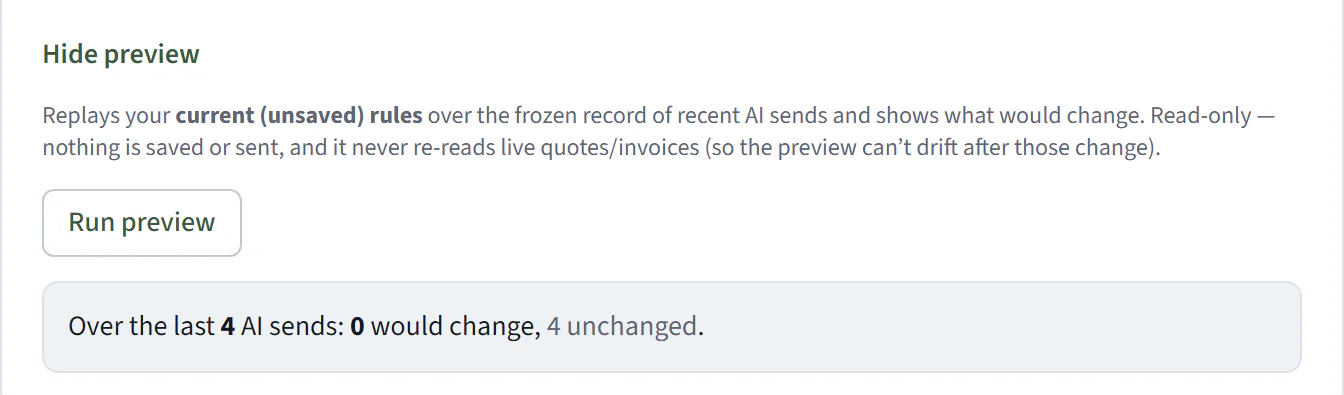
Write rules by channel, recipient, amount, business hours or attachment, and pick what happens: auto-send, schedule around quiet hours, hold for review, hold for approval through your approval chain, or suppress. Preview the rules against your recent sends before you save them. Message templates for welcome notes, quote and invoice cover notes and payment reminders keep the wording yours.
Send policy applies to messages the AI proposes. Owners set it, on the Pro plan.
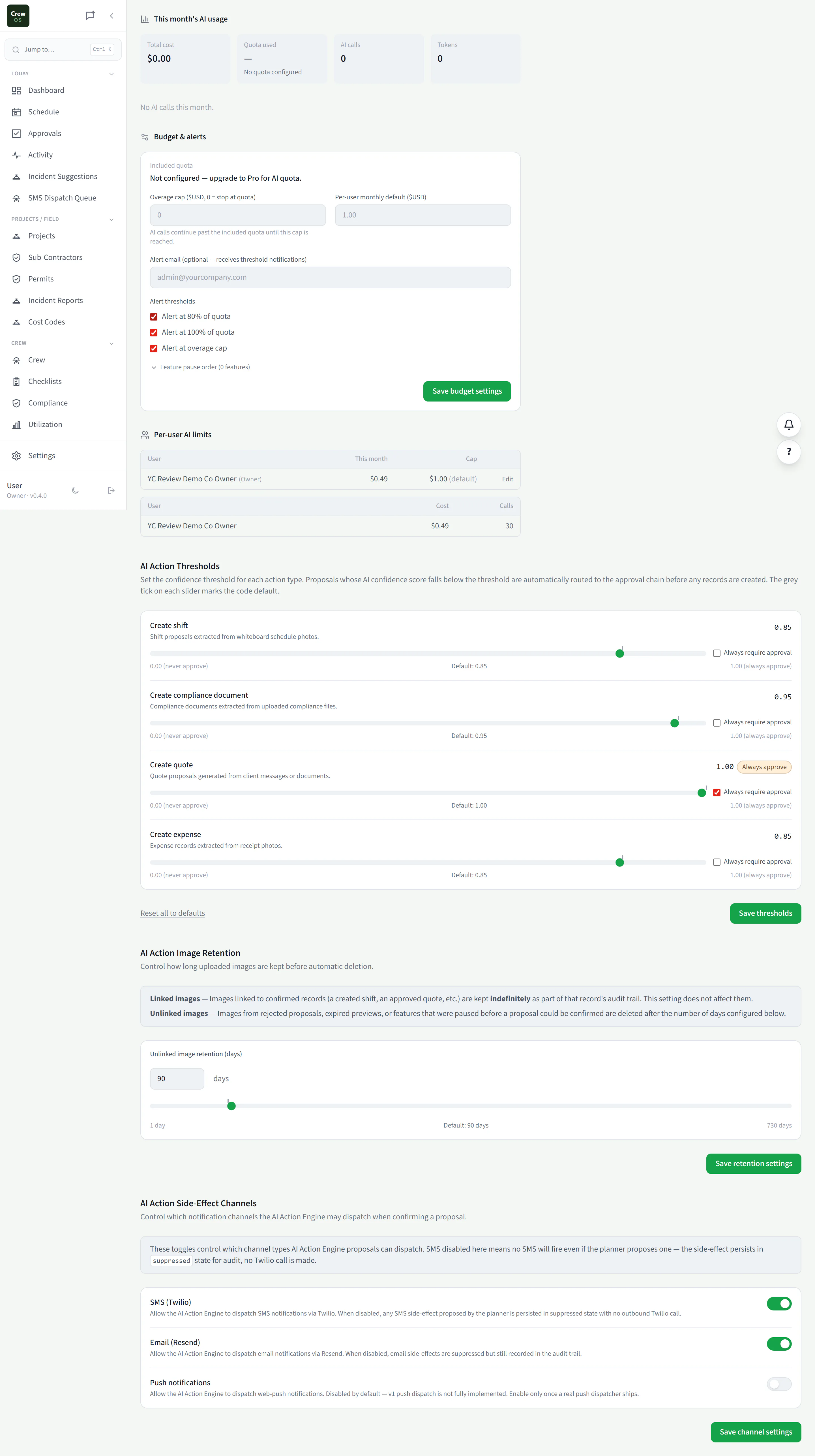
Usage
See exactly what the assistant is costing you.
Track AI usage and spend over time: what ran, when, and how much it consumed. No surprise bills and no black box: you get a clear meter on the assistant the same way you’d track any other line on the business.
Scheduling
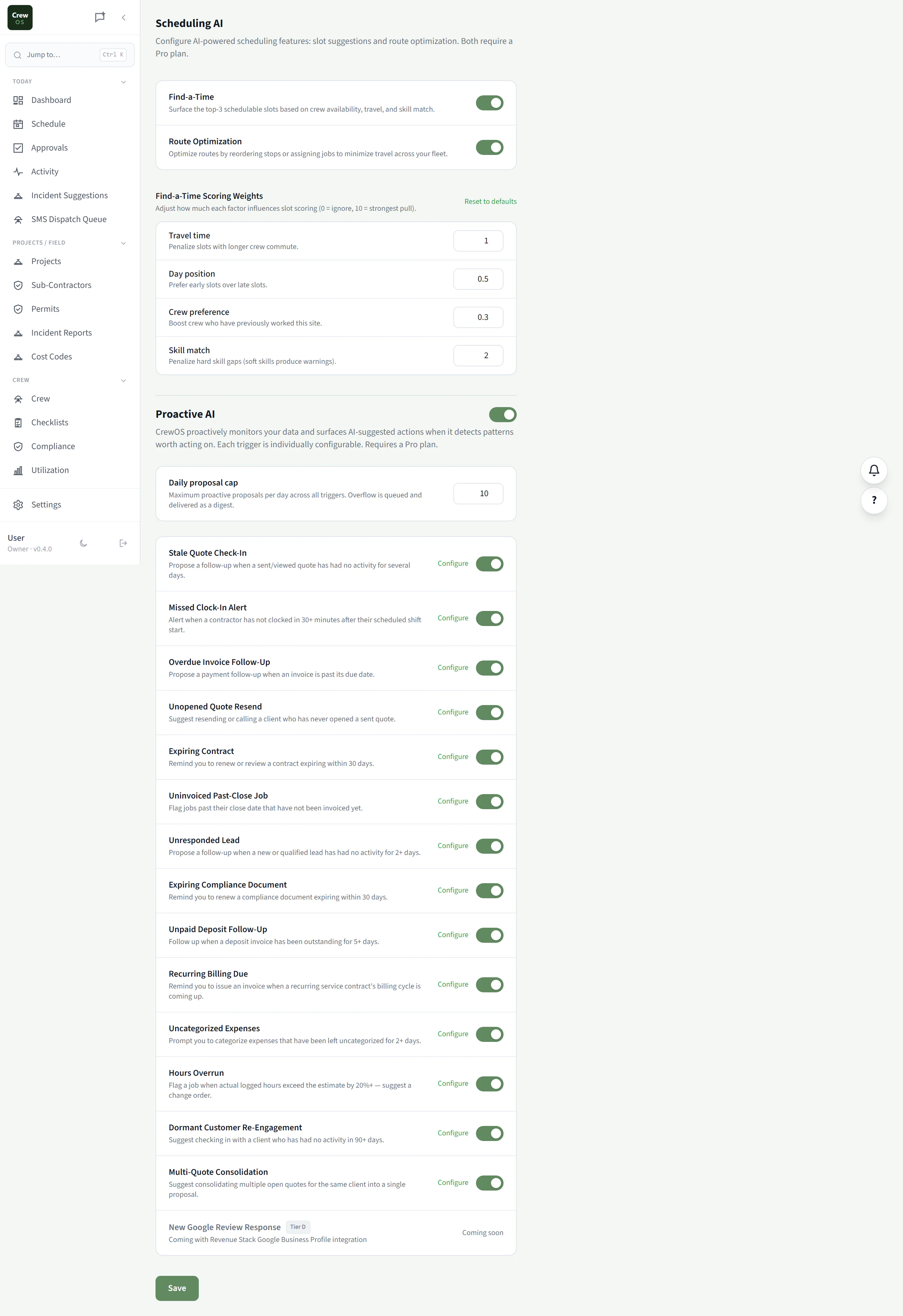
Let AI fit the day together for you.
The assistant looks at your jobs, crews, drive times, and capacity rules and proposes a schedule that actually works. You stay in control of the final call. It just does the tedious tetris of getting the right people to the right sites.
Capabilities
Decide exactly what the assistant can do.
CrewOS keeps a registry of every action the AI can take: drafting, sending, scheduling, editing. Switch each one on, require approval for it, or turn it off entirely. Hand it more rope as you trust it, and keep a full record of what it touched.
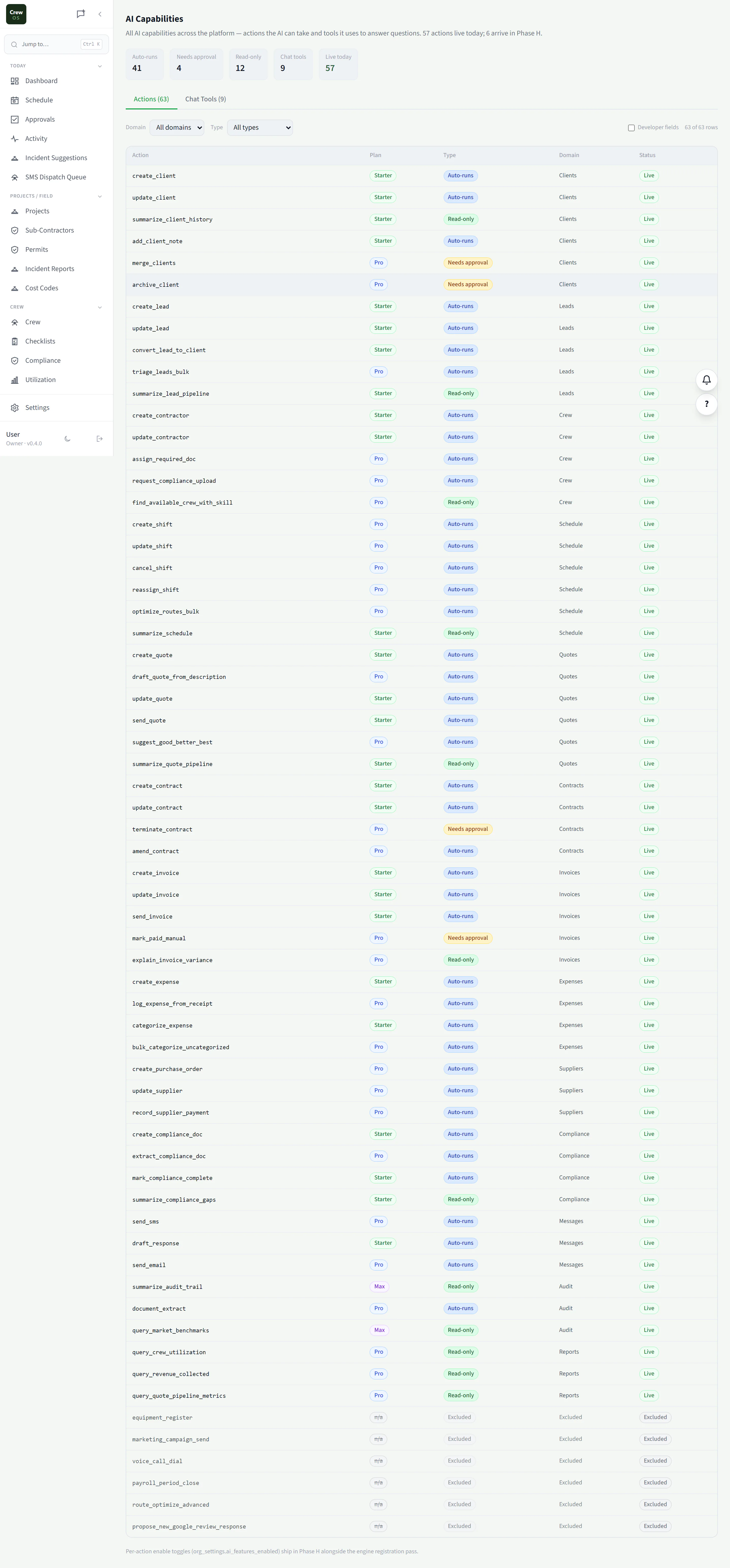
More than 200 actions, and none of them run without you.
The Workbench is not bolted onto one screen. It works across the parts of CrewOS you already use.
- Sales. Leads, quotes, follow-ups and contracts.
- Scheduling. Shifts, recurring visits, crew assignments and skills.
- Crew and compliance. Crew records, certification types, skills, team roles and invites.
- Money. Invoices, expenses and construction billing.
- Field and projects. Daily logs, permits, safety and project records.
- Settings. The account settings you would otherwise click through.
- Approval first. Every change is either confirmed by you in the Workbench or sent through your approval chain. There is no path where it acts on its own.
- Spend you control. Monthly usage, budget alerts at 80% and 100%, and per-user limits on the Usage page.
The AI Workbench, Communications and Usage pages are on the Pro plan. Owners see Usage.