Open the app. See what needs you today.
Running a field business means a hundred small decisions before lunch: who’s where, what’s waiting on your sign-off, what changed overnight. Today is the home base that answers all of it the moment you log in: a live dashboard, the day’s schedule, the approvals stacking up, and a running record of everything your team has done.
Dashboard
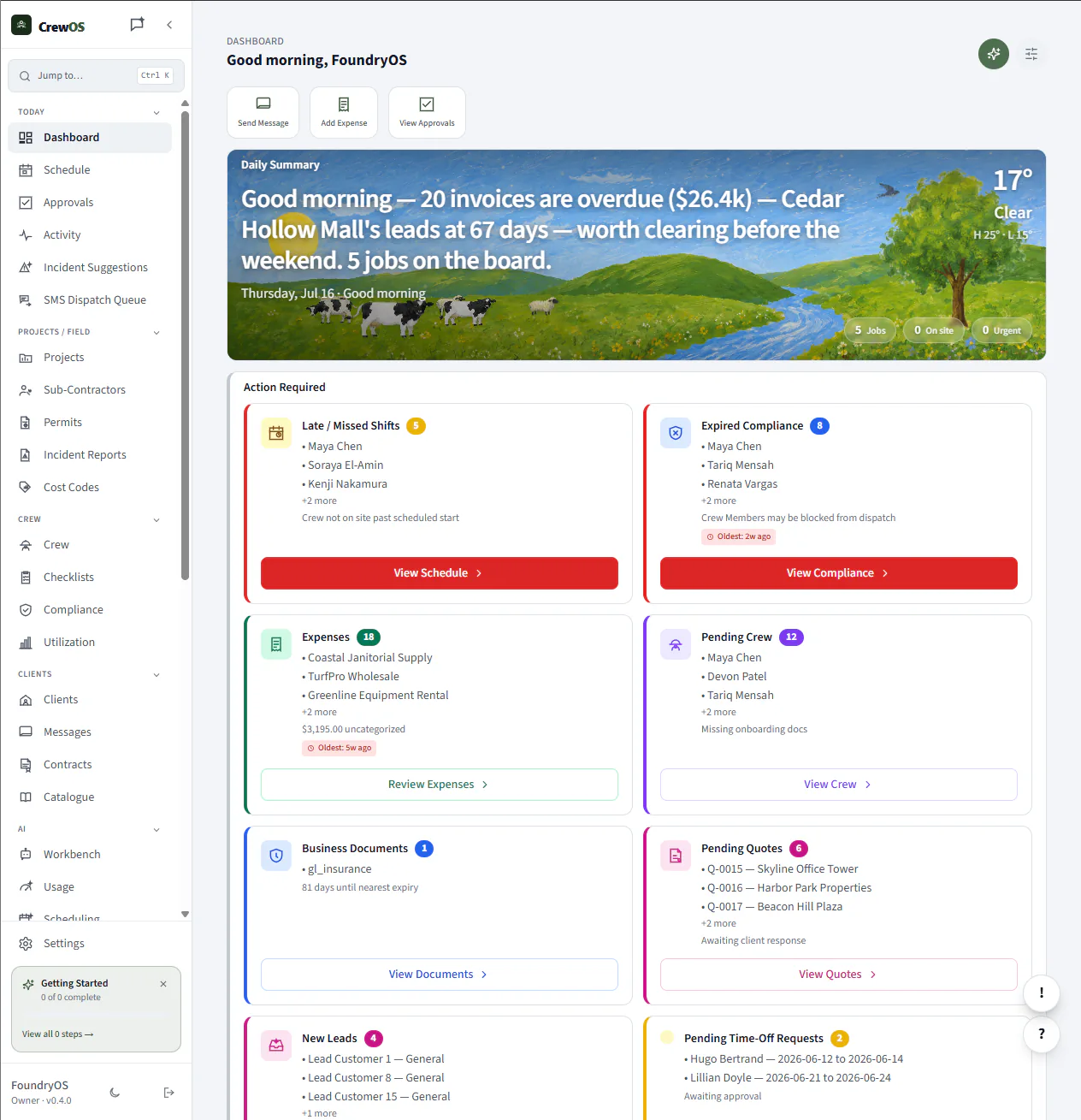
Your whole operation on one screen.
The dashboard pulls the numbers that actually move your day to the top: jobs in progress, crew on shift, revenue booked, and what’s overdue. It’s the first thing you see and usually the only screen you need before the trucks roll out.
Schedule
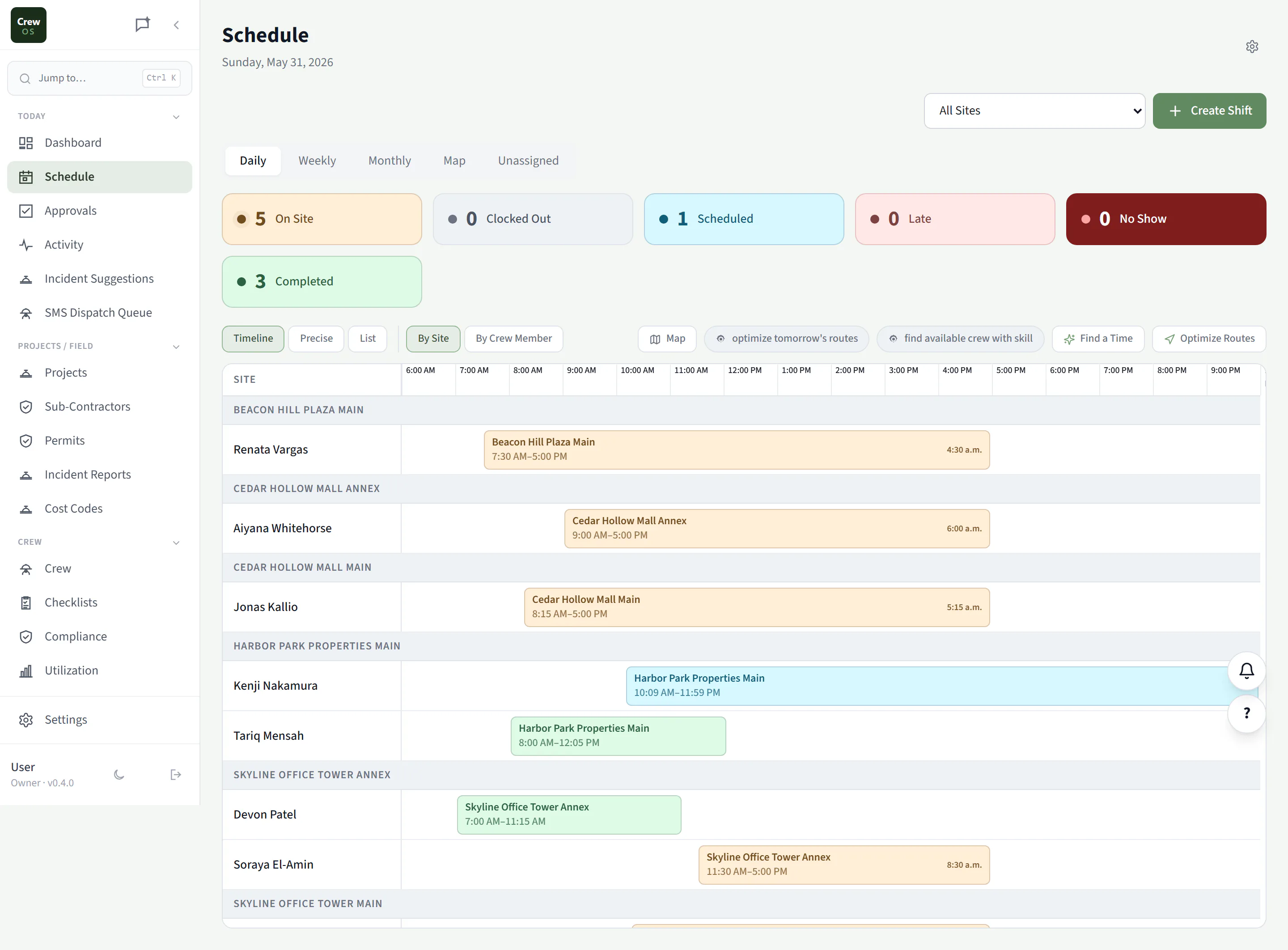
Every job and every crew, on one calendar.
Drag a job to a day, assign the crew, and the workers see it instantly on their phones. Conflicts and double-bookings surface before they happen, and capacity rules keep you from promising work the team can’t deliver.
Route optimization
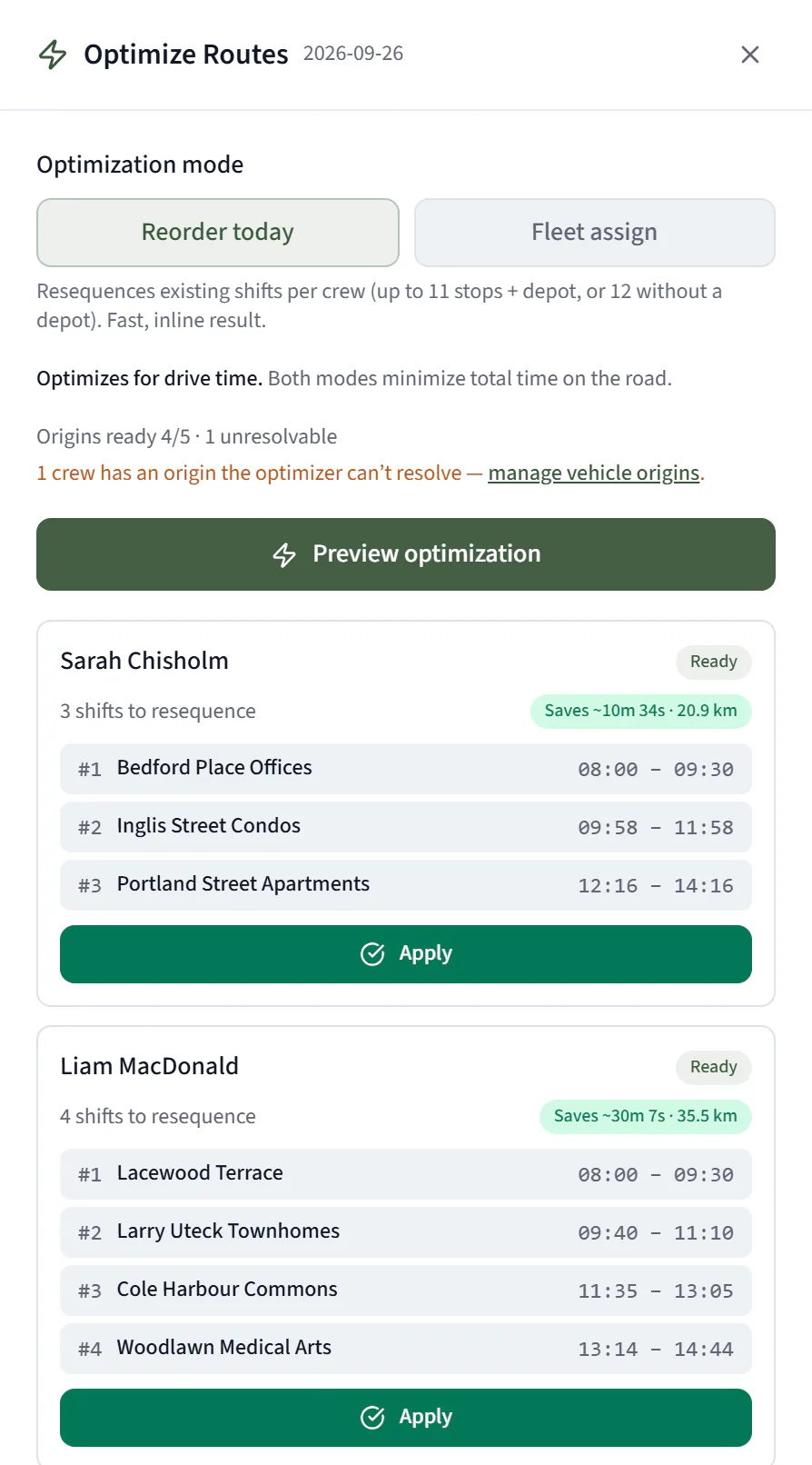
Reorder a crew’s day by drive time, and see what it saves.
Press Optimize Routes on today’s schedule and CrewOS reorders each crew’s stops by real drive time from where that crew starts. It shows its work first: the new order for each crew and the time and distance it saves, with nothing applied until you press Apply.
Pro plan. An owner turns it on under AI, Scheduling and sets where each vehicle starts. Up to 12 stops per crew per run. It reorders each crew’s own day; it does not move jobs between crews.
Schedule map
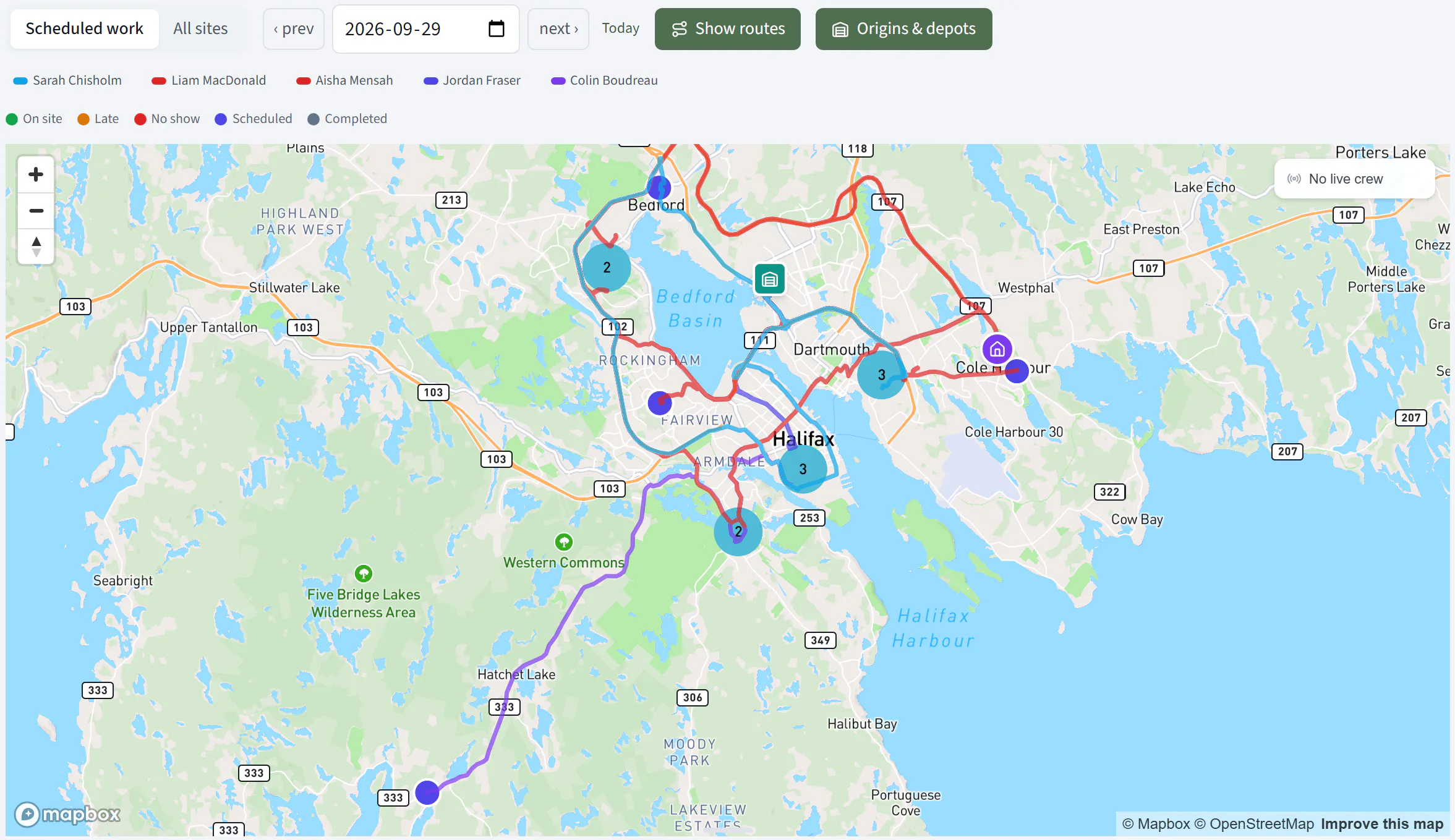
Every crew’s day, drawn along real roads.
Switch on Show routes and the schedule map draws each crew’s stops in order along the roads they will actually drive, colour-coded by crew, with their start points on the map. Pick a date, filter to a site, and see who is on site right now.
The schedule map is on the Starter plan and up.
Recurring schedules
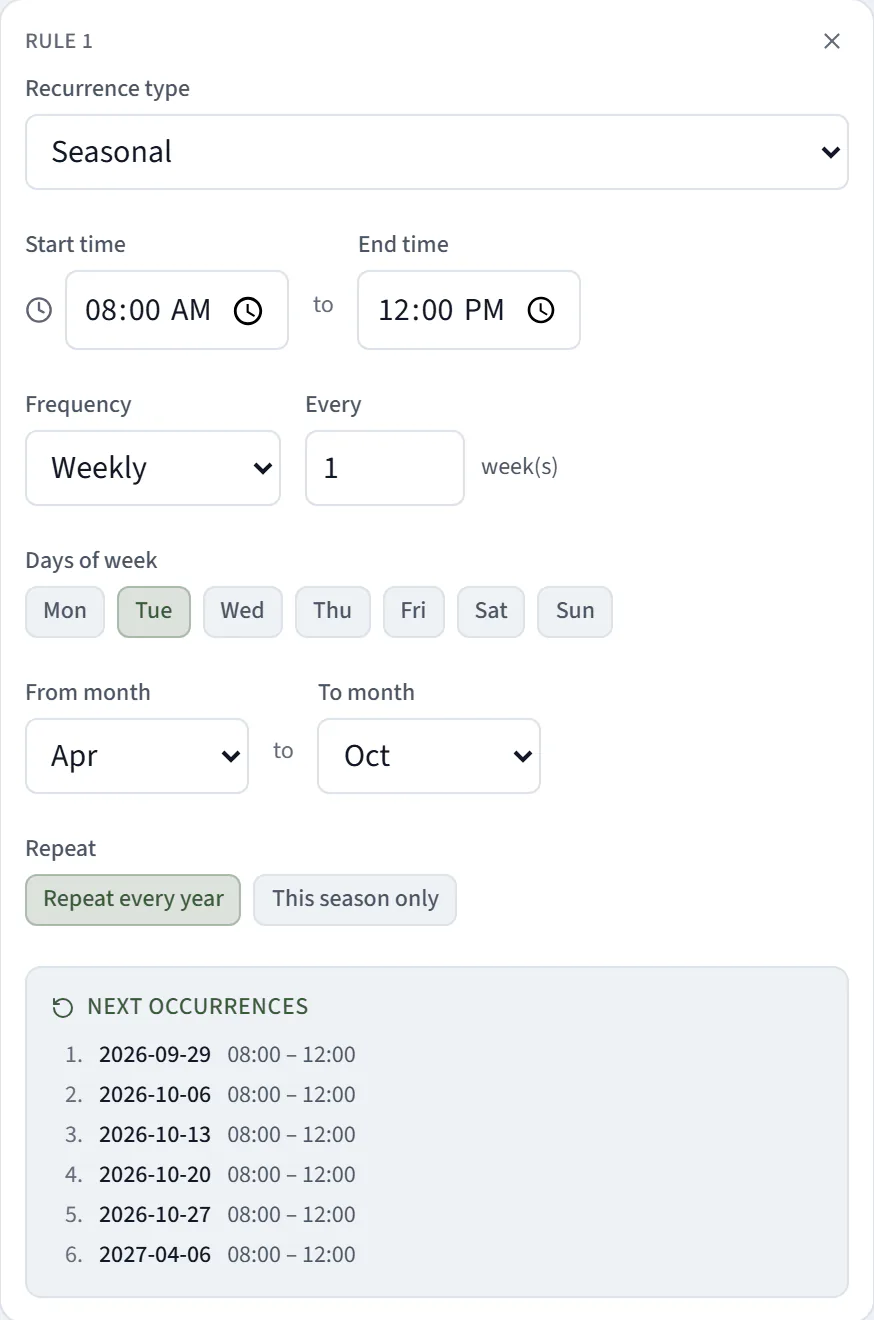
Every other Tuesday. The last day of the month. April to October.
The repeat editor handles the patterns real service contracts use: every N days or weeks on chosen weekdays, a set day of the month including the last, the Nth or last weekday, specific dates, or a season that picks itself back up next year. It previews the next occurrences, lets you put different crew on different dates, and skips a single date without breaking the series.
Recurring schedules are on the Starter plan and up.
Find a Time
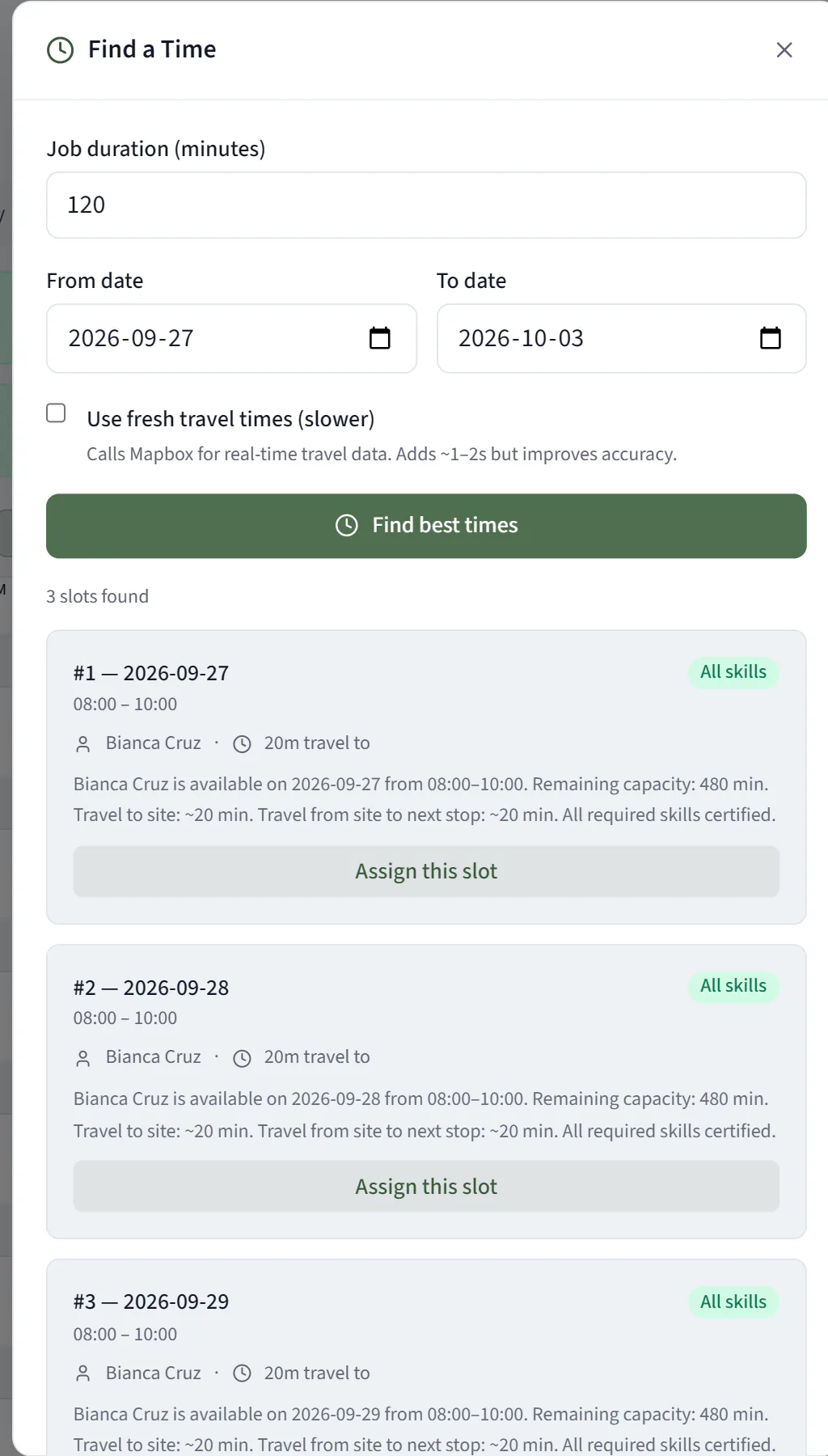
Tell it how long the job takes. Get the three best slots.
CrewOS searches your crew’s availability across the dates you choose and suggests the three best slots, weighing who is free, the drive to the site and on to their next stop, how much of their day is left, and whether they hold the skills the work needs. Pick one and assign it.
Pro plan. An owner switches it on under AI, Scheduling.
Fill Unassigned
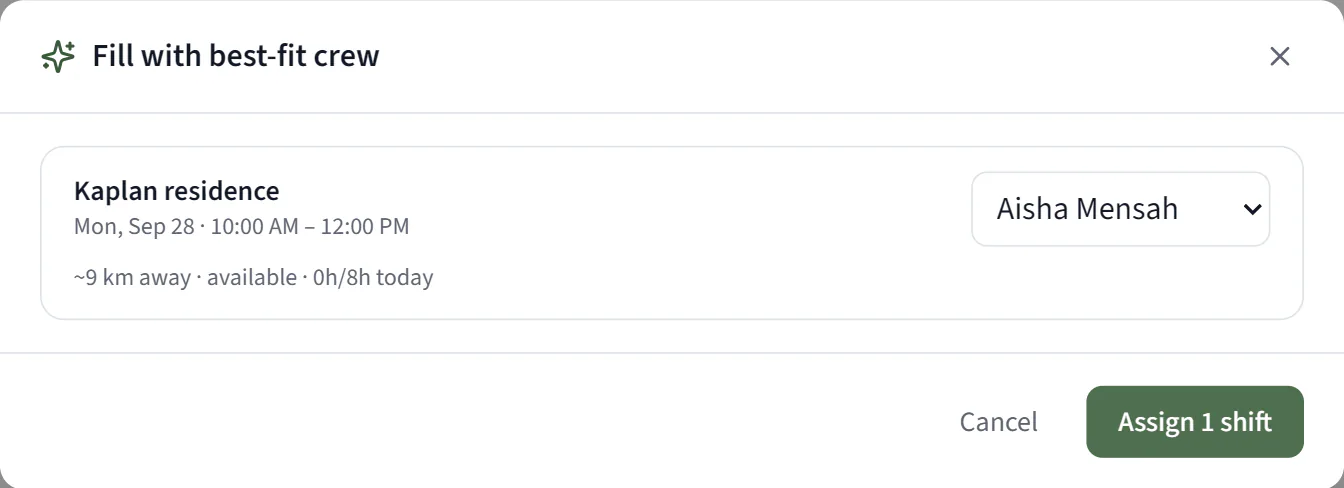
Shifts with nobody on them, filled in one pass.
Open the unassigned shifts and press Fill with best-fit crew. CrewOS suggests an available person for each one, with how far away they are and how much of their day is already booked. Change any suggestion or skip a shift, then assign them all at once.
Pro plan.
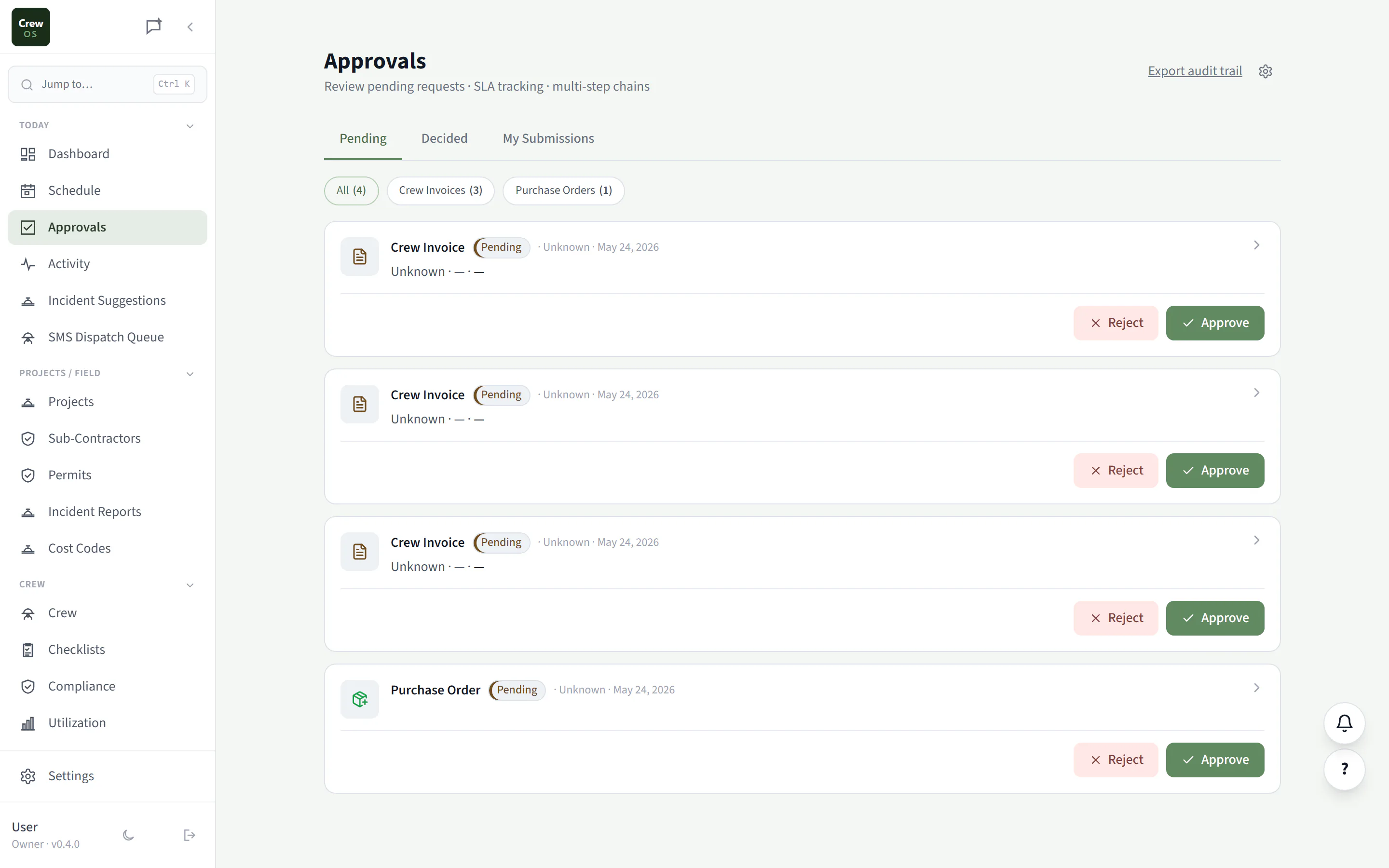
Approvals
Everything waiting on your sign-off, in one queue.
Quotes ready to send, expenses to reimburse, timesheets to confirm, and discounts that need an owner’s yes all land in one approvals queue instead of scattered across texts and email. Clear it in a few minutes and nothing falls through.
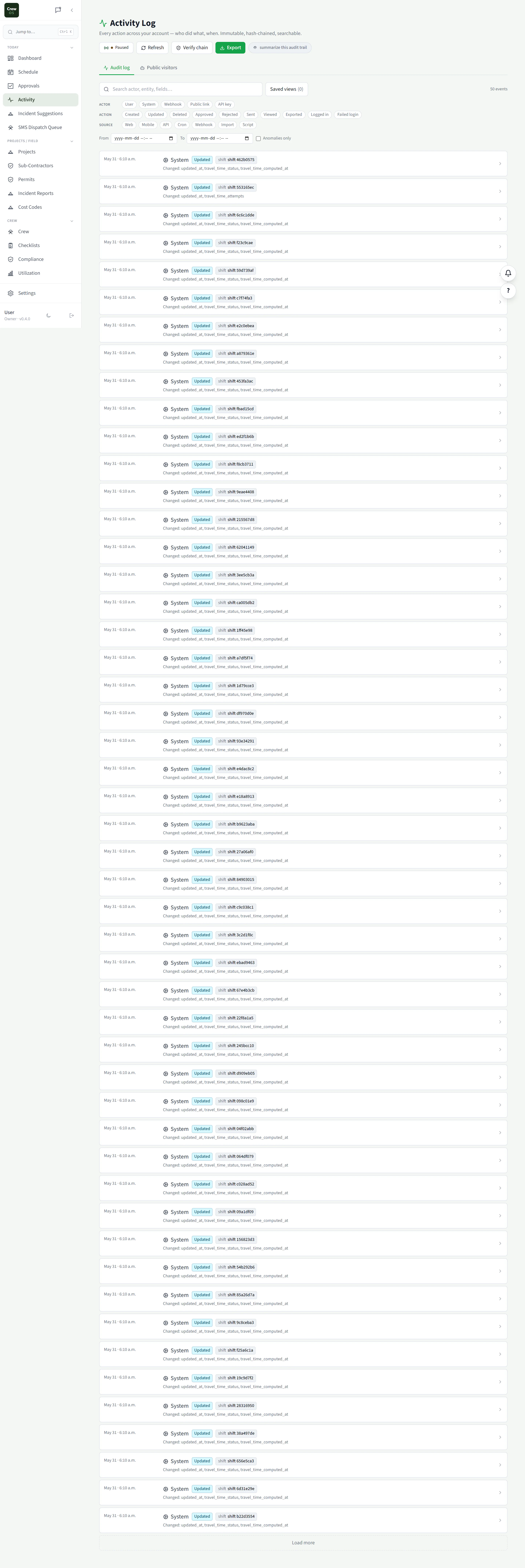
Activity
A running record of who did what, when.
Every clock-in, status change, edit, and send, logged in one timeline. When you need to know what happened on a job, or prove it to a client, the answer is here, not in someone’s memory.
Settings · Today
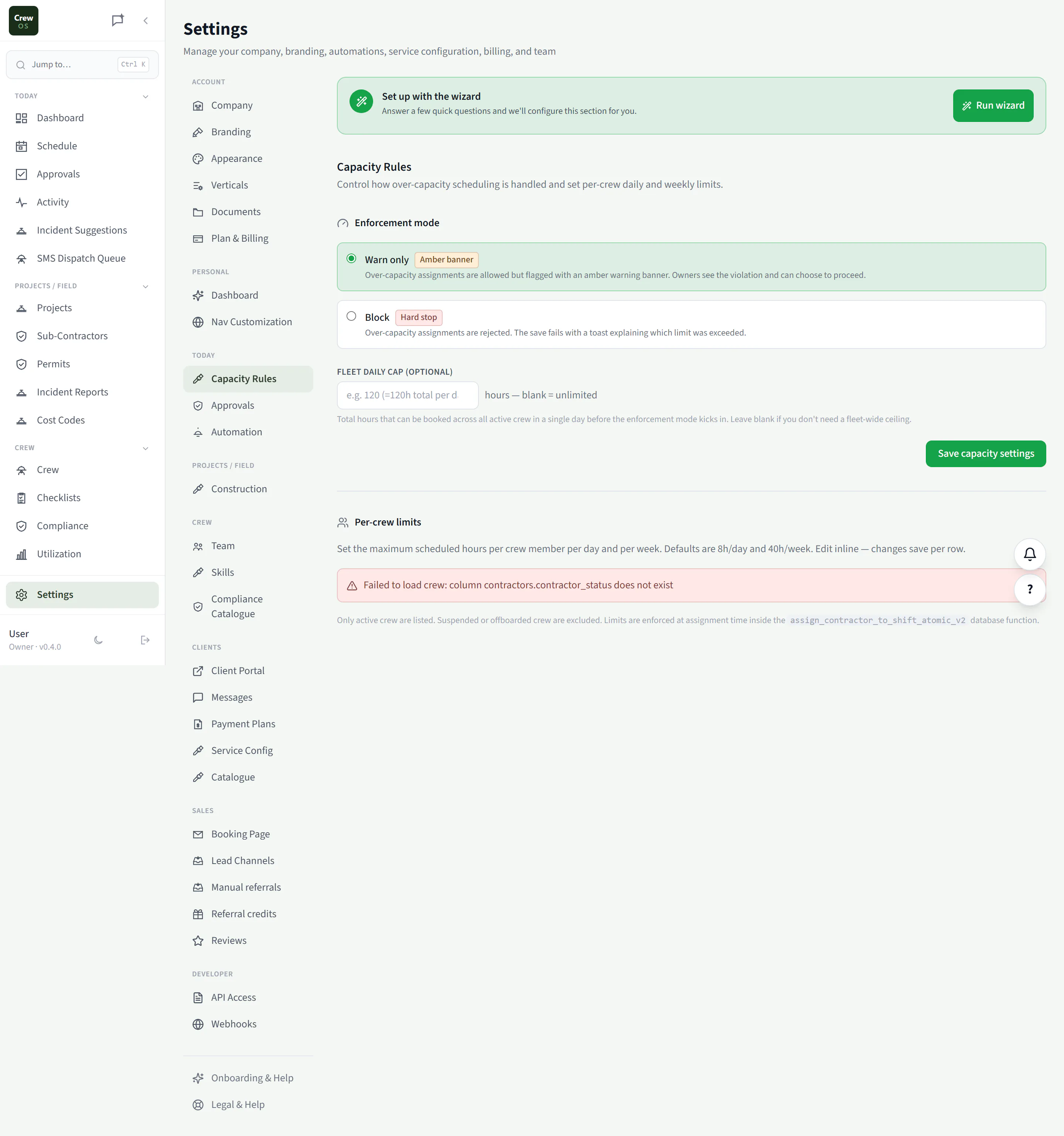
Capacity Rules
Cap the day before you overbook it.
Set how many jobs or hours your crews can take on per day, and the schedule and booking page respect it automatically. You stop selling work you can’t staff, and the calendar stops looking busier than the team really is.
Settings · Today
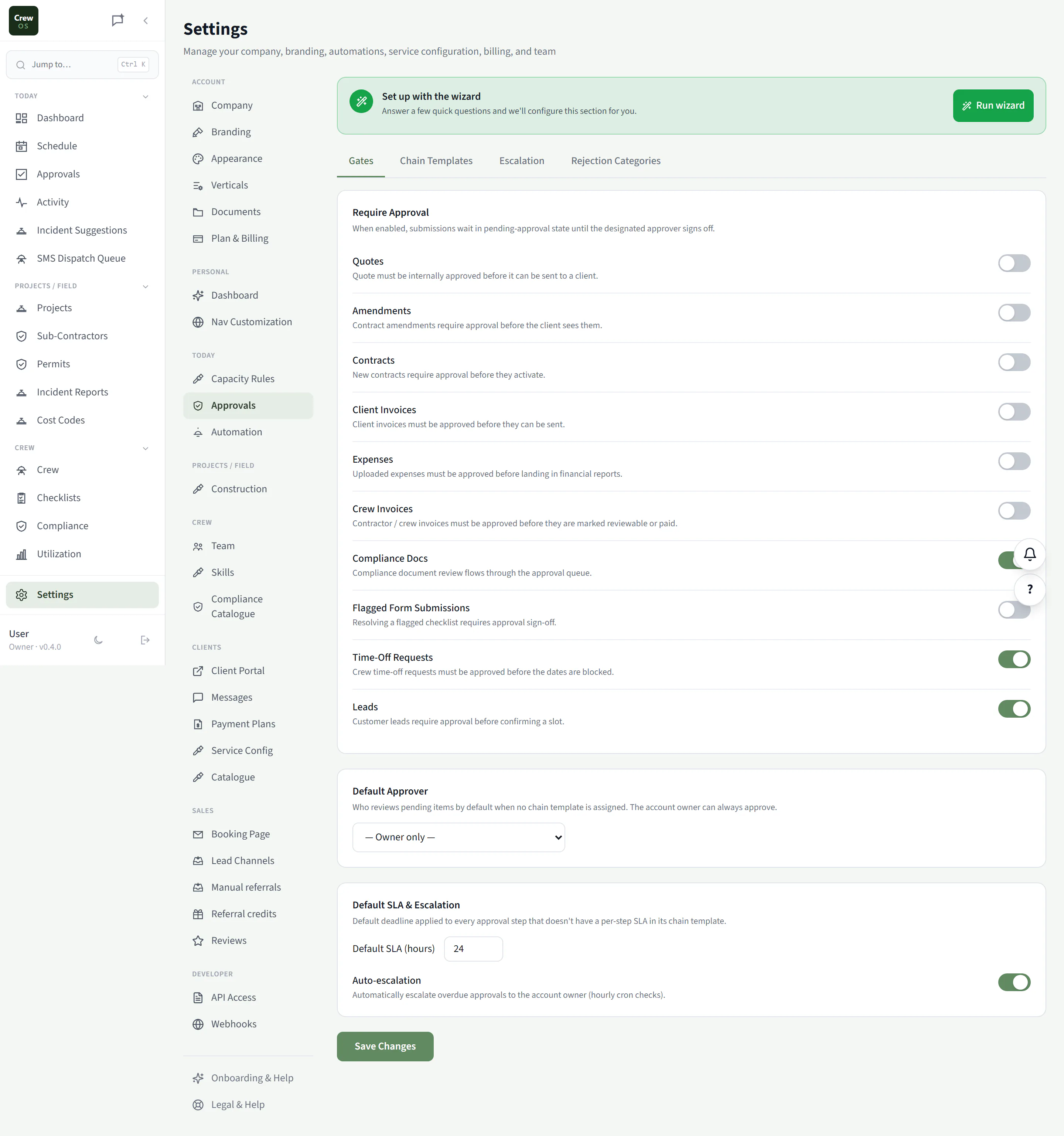
Approvals
Decide what needs a yes and what doesn’t.
Choose which actions require an owner’s approval: discounts over a threshold, expenses above a limit, quotes past a certain value. Tighten control where the money is and let the routine stuff flow without you.
Settings · Today
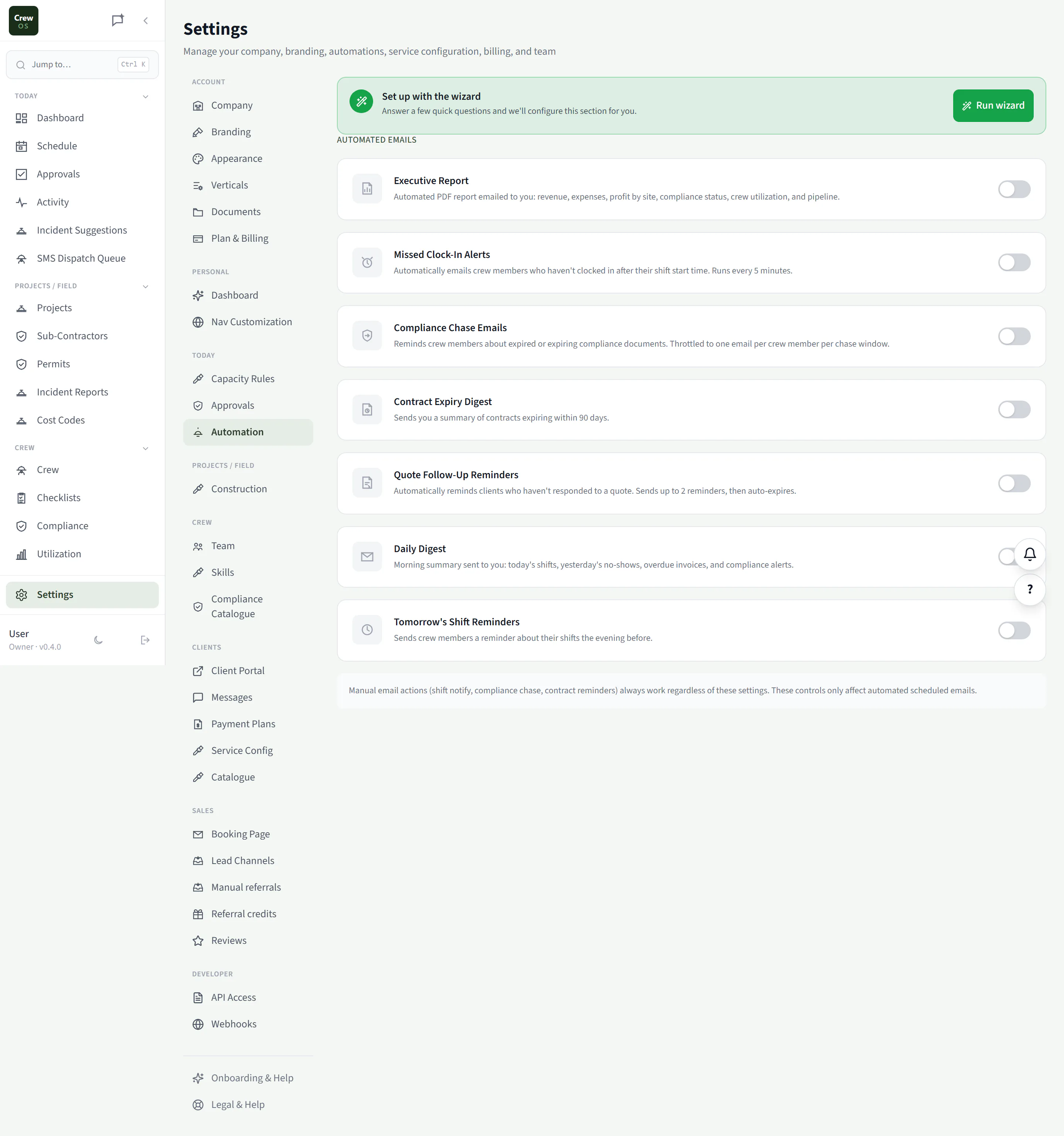
Automation
Let the busywork run itself.
Turn on the nudges that keep jobs moving: quote follow-ups, appointment reminders, review requests, overdue-invoice chasers. Set it once and CrewOS handles the repetitive outreach so you don’t have to remember to.