Get paid faster. Know where you stand.
The work is only half the business. The other half is money in and money out, and most contractors only find out where they landed at tax time. CrewOS keeps it live: expenses captured in the field, invoices that chase themselves, and financials that tell you whether the jobs you’re running actually make money.
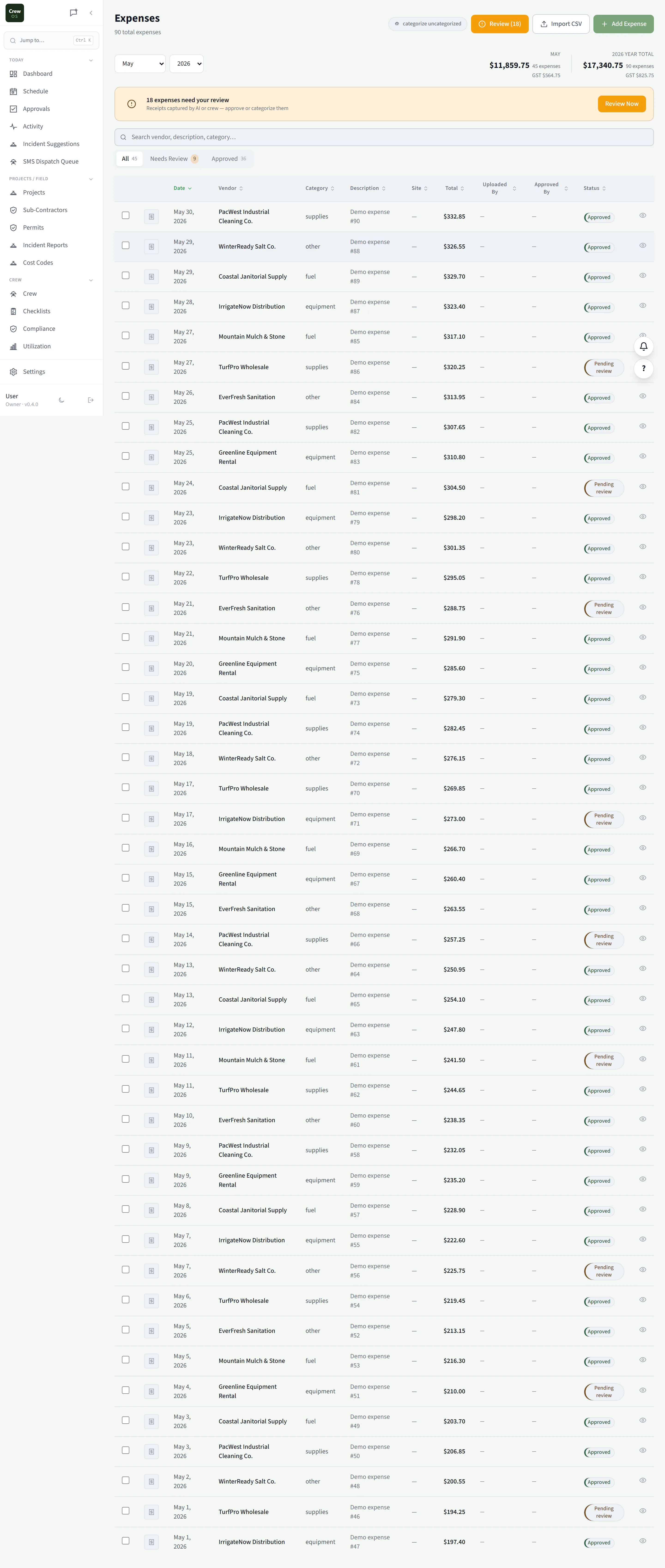
Expenses
Snap the receipt before it’s lost in the truck.
Crew capture expenses from their phones the moment they spend: photo of the receipt, amount, and the job it belongs to. Costs land against the right project automatically, so job profitability is real instead of a guess at month-end.
Invoices
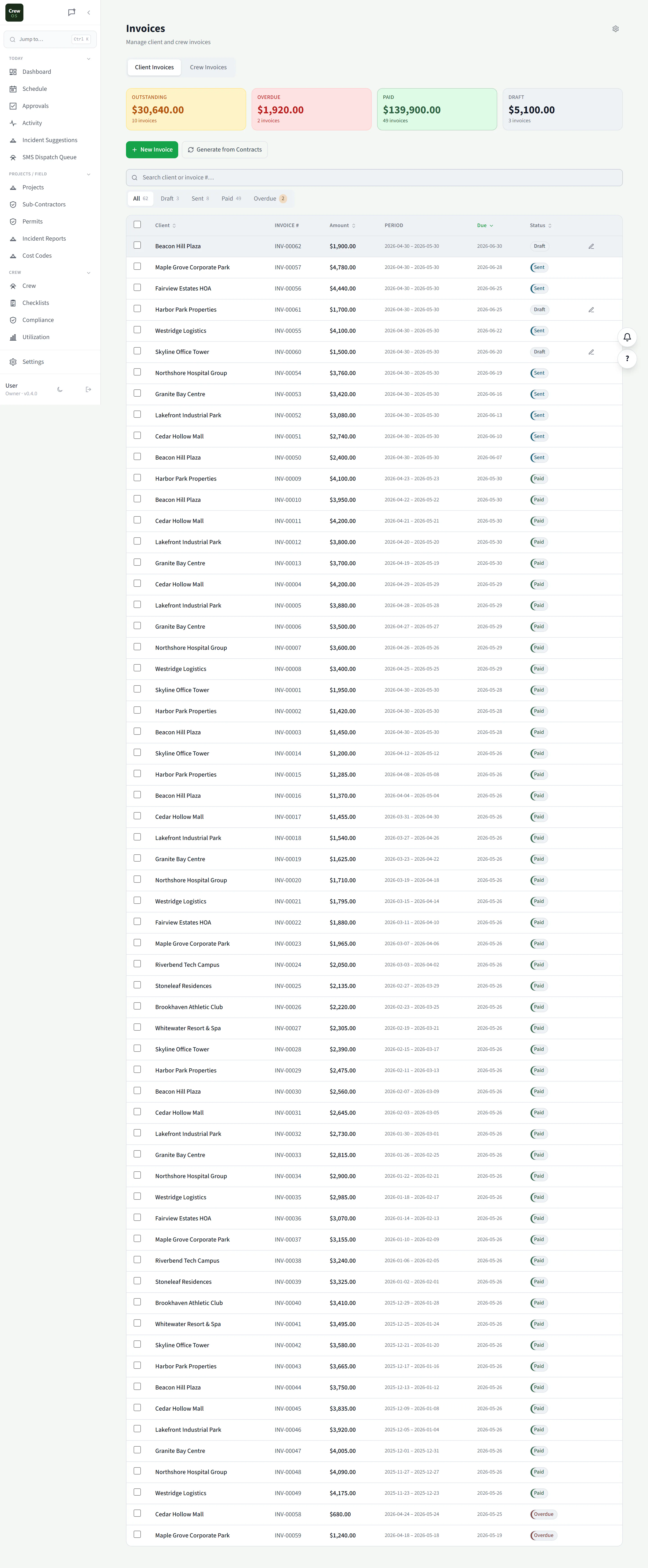
Invoice from the job, collect online, chase automatically.
Turn completed work into an invoice in a click, send it with an online payment link, and let CrewOS send the overdue reminders for you. Less time billing, fewer awkward follow-up calls, and money in the bank sooner.
Financials
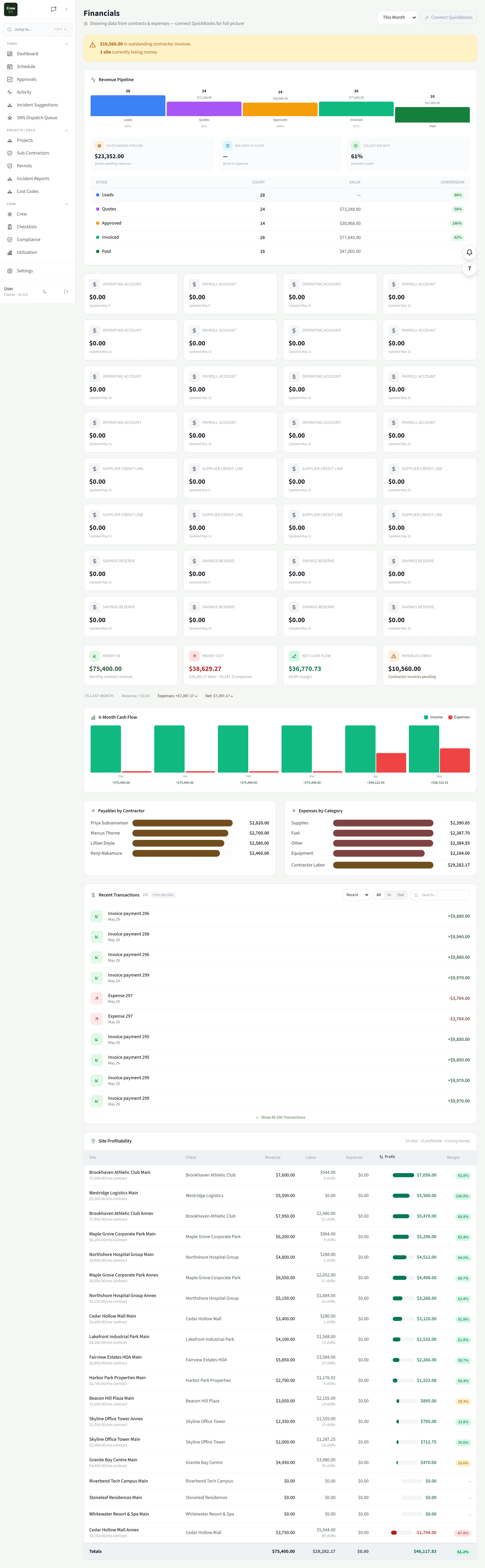
The P&L view that tells you what’s working.
Revenue, costs, and margin across the business and down to the individual job. See which services and crews actually make money and which quietly lose it. That’s the report you need to price the next job right.
Snap a receipt
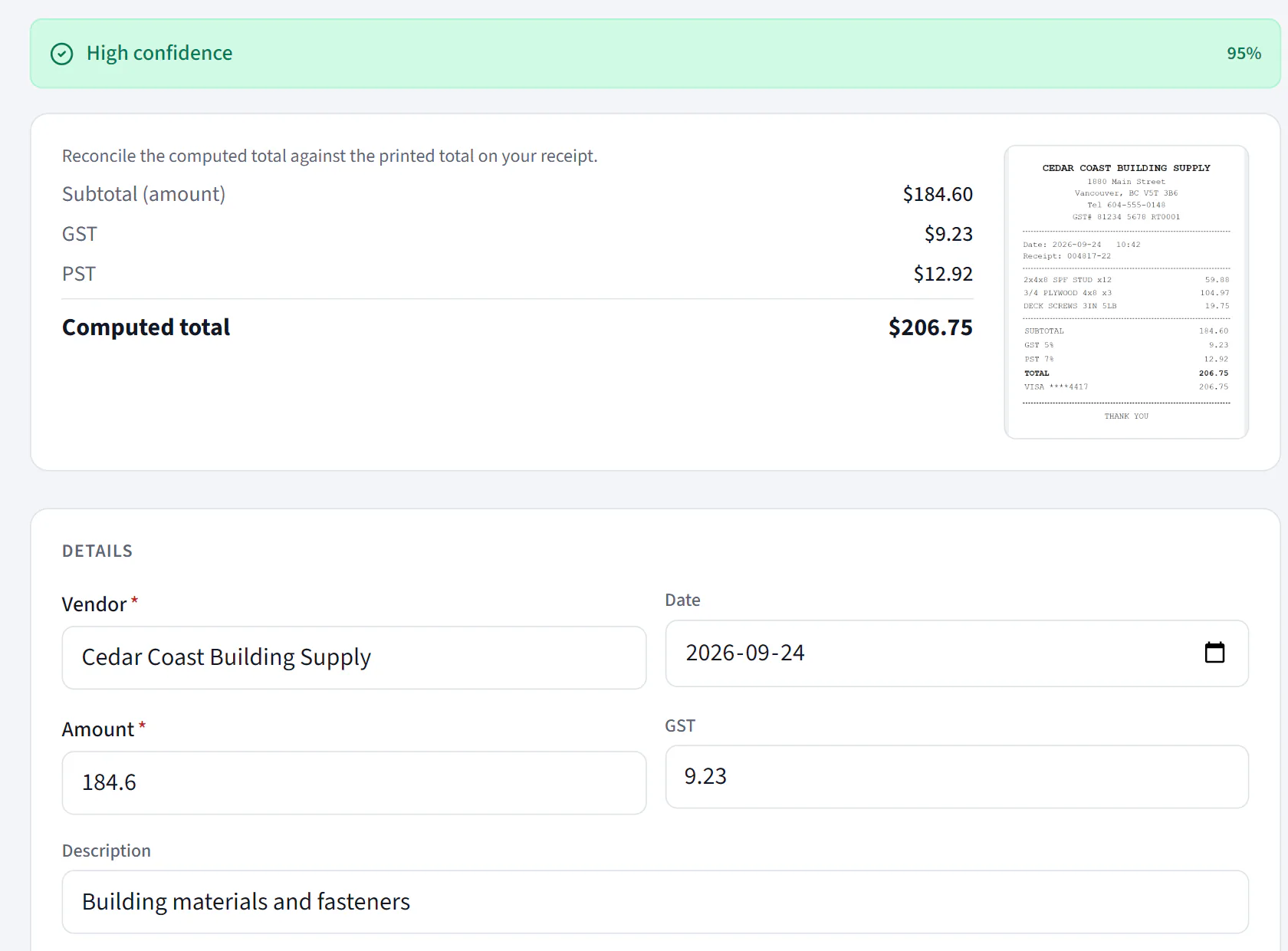
Take a photo. Get a filled-in expense.
Photograph a receipt and CrewOS reads the vendor, date, subtotal, GST, PST and total, checks the computed total against the one printed on the receipt, and hands you a filled-in expense to check, categorize and save.
Starter plan and up.
Job profitability
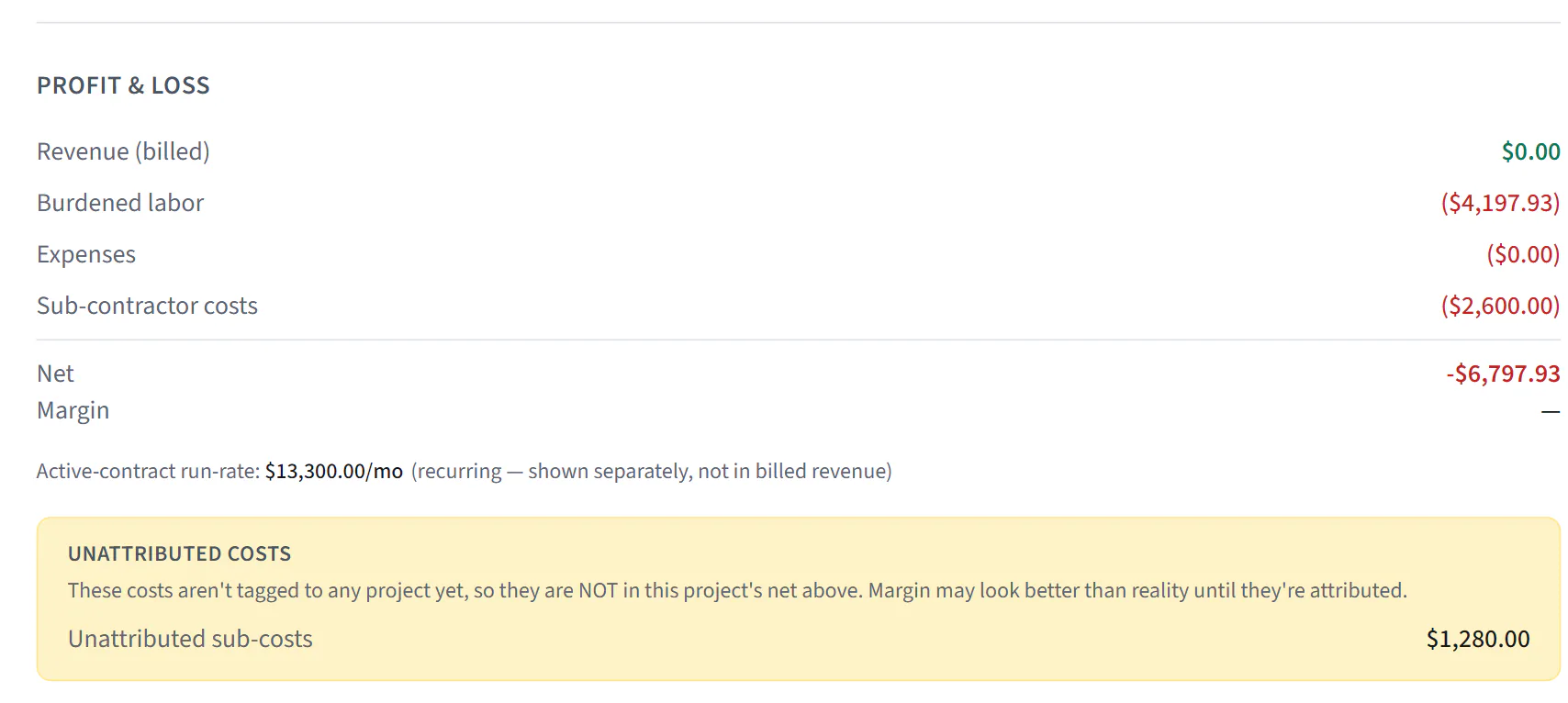
What a project actually earned, down to net and margin.
For general contracting projects, a project P&L with burdened labour (wage plus equipment and fringe rates you set per crew member), expenses and sub-contractor costs, down to net and margin. Revenue counts invoices that have been paid, and costs not yet tagged to any project are shown separately so the margin never looks better than it is. Other trades get profitability by site on Financials.
Project P&L needs the General Contracting vertical and is owner-only. Site profitability is on Pro.
Revenue forecast
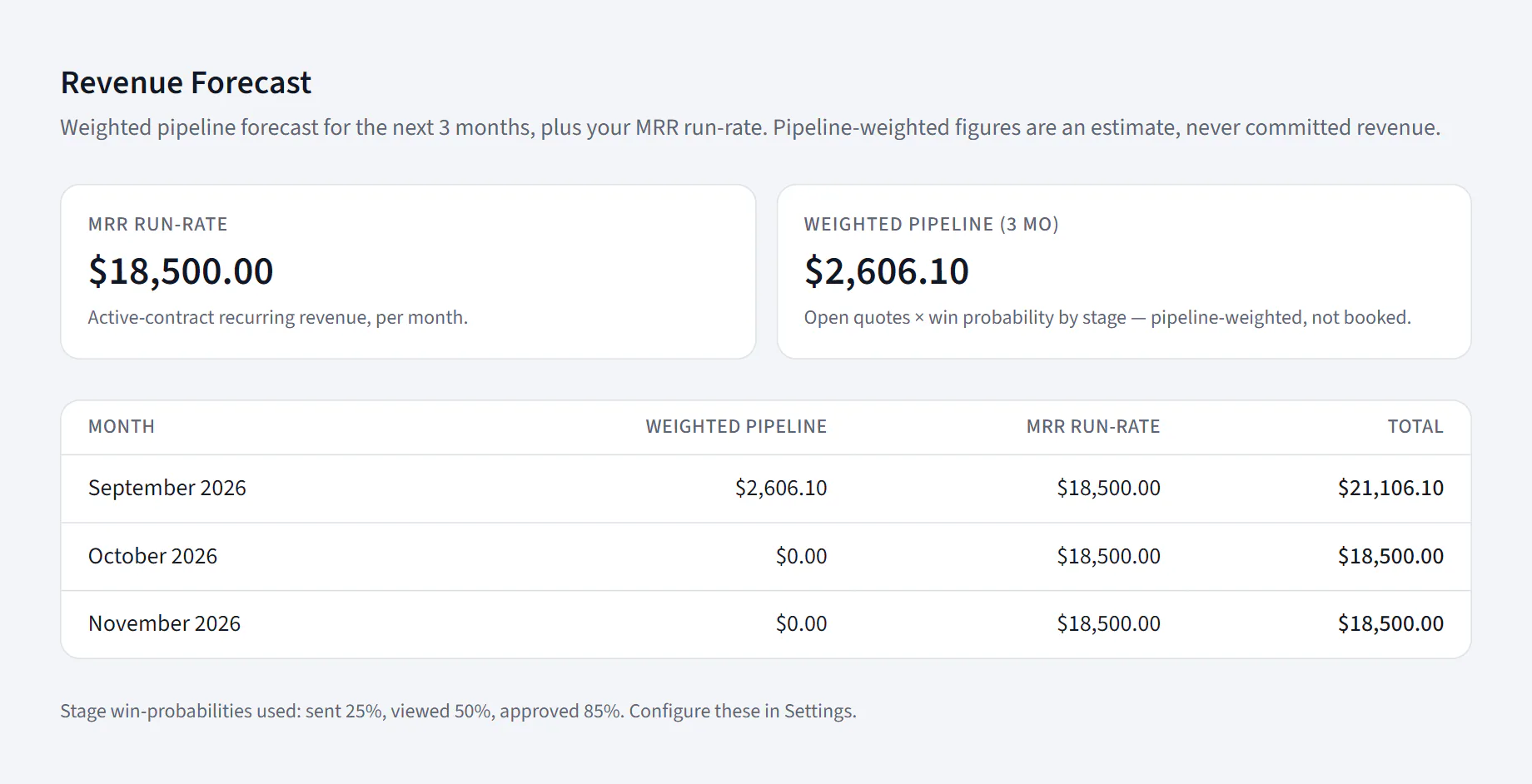
The next three months, from your own quotes and contracts.
A month-by-month forecast of weighted pipeline and recurring run-rate. Open quotes are weighted by how far along they are, and active contracts give you the run-rate, so you see what is likely to come in next to what is already committed.
Pro plan, owner-only.
Settings · Automation
Leadership digest
The numbers, in your inbox, daily or weekly.
An owner email with project margins at risk, the pipeline forecast, recurring run-rate and receivables aging. Switch it on, pick daily or weekly, and it skips itself until there is financial data to report. Prefer a document? The executive report sends a PDF weekly or monthly.
Off until an owner turns it on. The executive report is on Pro.

Less typing into the books.
- Import a bank CSV. Drop in a statement from TD, RBC, BMO, Scotiabank or CIBC, or any bank with standard columns. AI suggests a category for each line, and you can change any of them before importing.
- QuickBooks Online. Connect once and CrewOS pushes your customers, vendors, invoices, expenses, bills and payments to QuickBooks every 15 minutes, plus completed contractor time if you turn it on. It is a one-way push: CrewOS stays the place you work.
Bank import is on the Starter plan and up. QuickBooks sync works with Canadian-dollar QuickBooks Online companies.