How CrewOS keeps your operation’s data yours.
Your schedule, your crew’s certificates, your clients and your money all live in CrewOS. Here is how it is kept separate, who can see what, how you can prove what changed, and how you get it out or delete it.
Your account is walled off from every other account.
- Row-level security. Every table that holds business data carries database policies that only return rows belonging to your account. The check lives in the database, not only in the app.
- Files too. Uploaded files, like certificates, photos and receipts, are stored under your account and fall under the same rule.
- Encryption. Everything travels over HTTPS and is encrypted at rest by our infrastructure providers. QuickBooks connection tokens are also encrypted by CrewOS itself before they are stored.
Activity log
A record of changes that cannot be quietly rewritten.
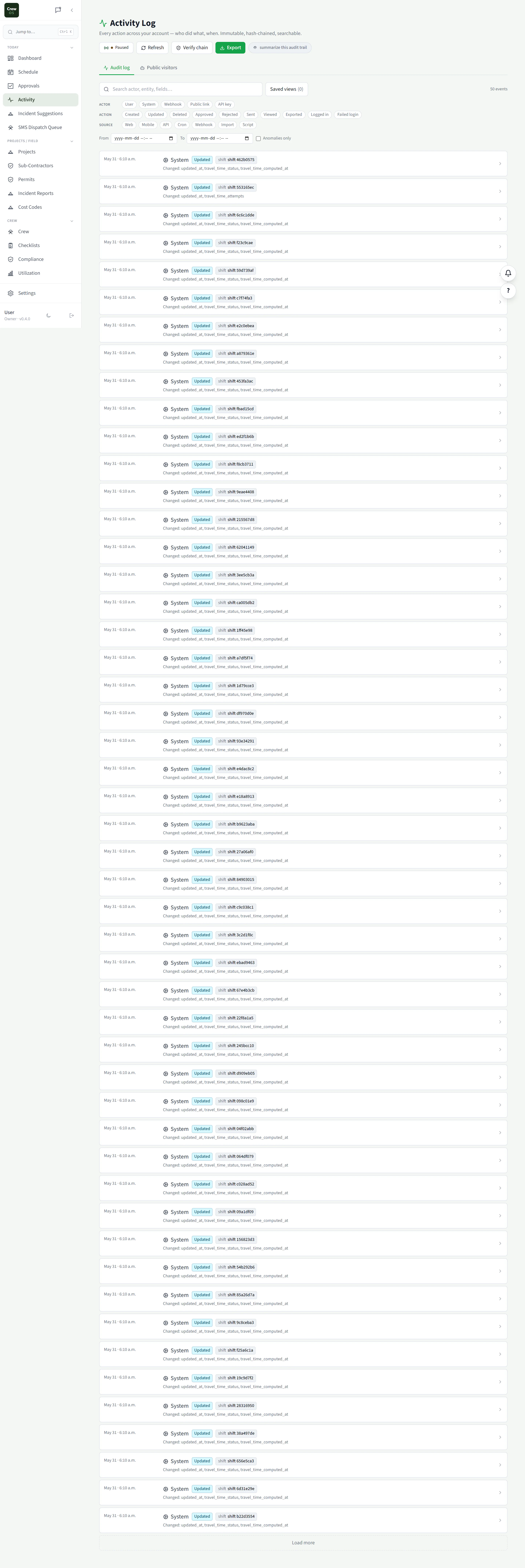
Changes to your records are written to an activity log where every entry carries a hash of the one before it. Edit or remove an old entry and the chain no longer matches. The account owner can verify the whole chain in one click and export activity as PDF or CSV.
Verify and export are for the account owner, on the Pro plan.
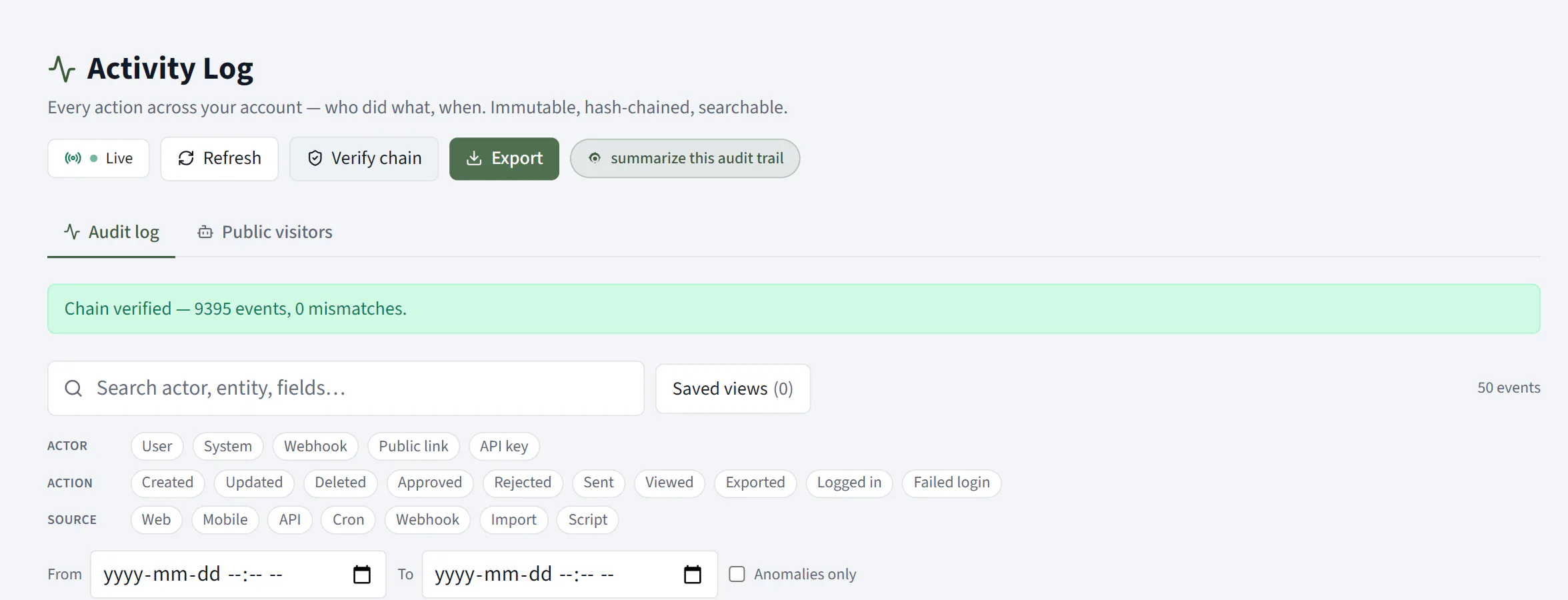
Verify the chain
One click to check that nothing was rewritten.
Press Verify chain and CrewOS recomputes the hash of every event in your activity log and checks it against the chain. The answer is plain: how many events were checked and how many did not match.
Account owner, Pro plan.
People see what their role allows, and nothing else.
- The owner. Full control of the account, billing, and the settings that decide what everyone else can do.
- Office operators. Page-by-page access the owner sets: Full, Read, or None for schedule, clients, compliance, financials and the rest.
- Crew. The crew portal only: their shifts, their clock-ins, their own documents.
- Outside participants. Subcontractors and clients see only what is shared with them, like a document to sign or an RFI to answer.
Take it with you, or delete it.
- Exports. Activity and audit history as PDF or CSV, a compliance audit package, your catalogue as CSV, and crew and utilization reports as CSV. There is no single one-click export of the whole account yet; if you need everything, ask us and we will help.
- Account deletion. The account owner can delete the account from inside CrewOS after signing in again (a paid subscription is cancelled first). Deletion is scheduled for 30 days later, then the account and its business data are permanently removed. The audit log is kept with the owner’s email replaced by a one-way hash.
- Error reports. Our error monitoring is set not to send personal data, and scrubs what it can before anything leaves the app.
The full list of services that process data for CrewOS is in section 8 of the Privacy Policy.