Commercial cleaning operations

Know a property was cleaned, with evidence, before the client tells you it wasn't.

The schedule says the property was serviced. That is not the same as knowing it was. CrewOS shows live status on every scheduled clean and pairs it with completion evidence, so the gap between scheduled and done stops being invisible.
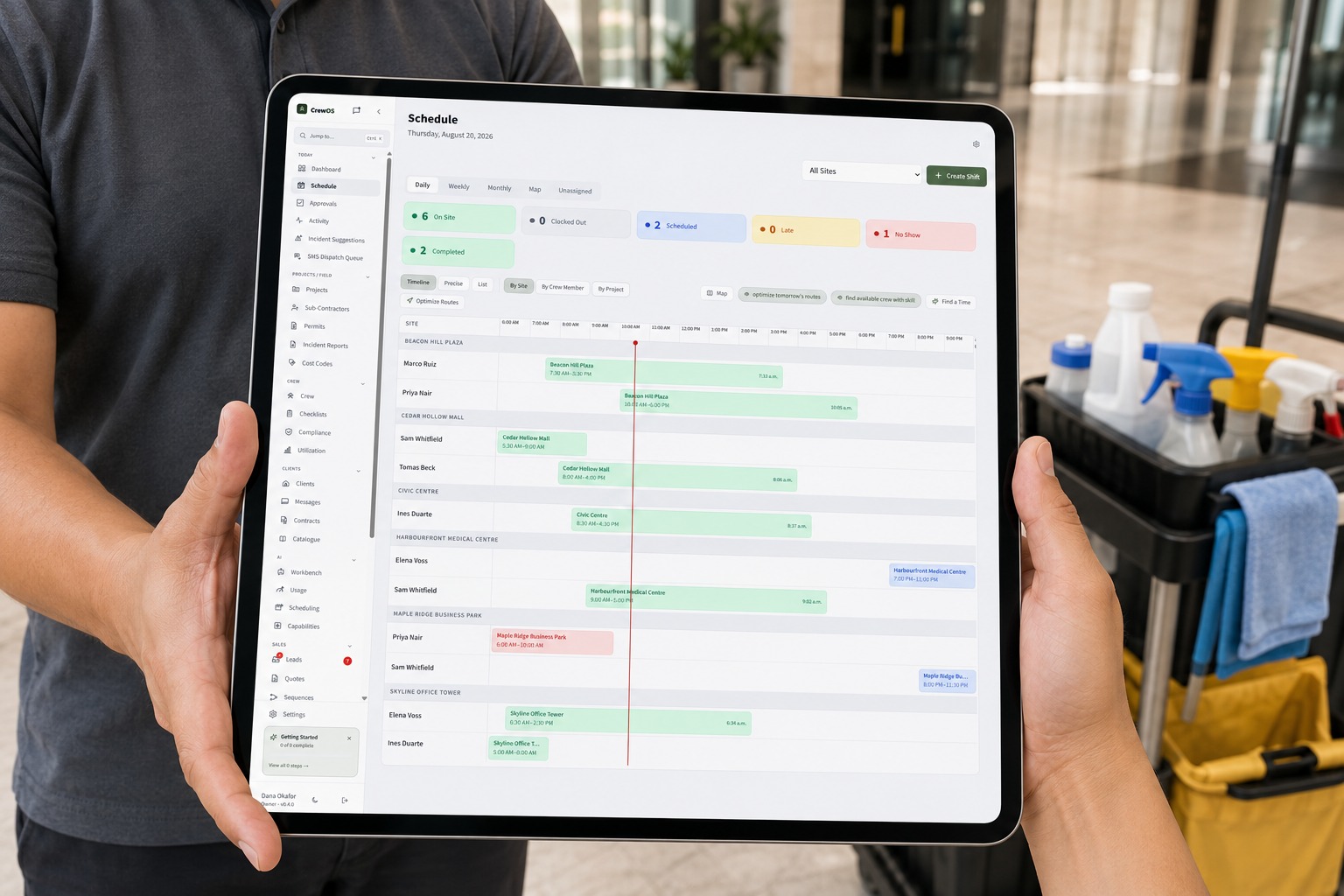
A commercial cleaner with a cleaning cart in an office lobby holding a tablet that shows the CrewOS schedule with live status across every property
The expensive failure

Management believes a property was serviced. It was not.

A no-show, a partial clean, a skipped scope. The schedule still shows it as done, because the schedule is a plan, not a record of what happened. The first person to notice is often the client.

What it costs

An unserviced site you invoiced is a disputed invoice and a lost account.

The gap between scheduled and actually done is exactly where accounts churn. You cannot defend the invoice, you cannot explain the miss, and the client has already decided the problem is you.

A commercial cleaner mopping the floor of a modern office lobby with a professional cleaning cart beside them
The work that leaves a property genuinely clean, not just marked done.
Operator control

The checklist is yours to build, item by item.

You decide what gets checked, on which jobs, and how hard the system holds the line.
app.crewos.ca/checklists
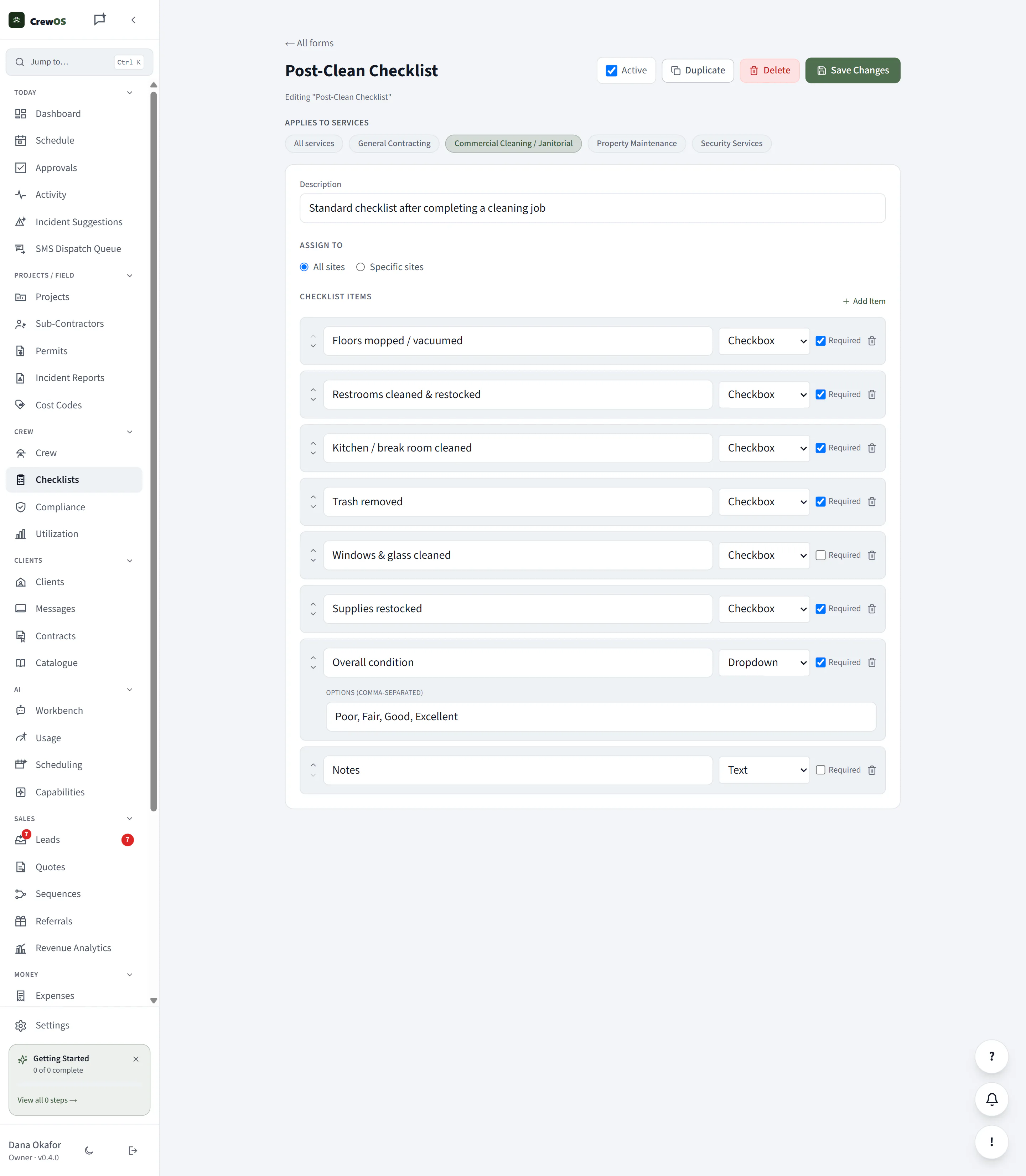
You build the checklist. Add the items that matter for your scope, mark which are required, pick the input for each, and set which services it applies to. "Done" means what you say it means.
The completion standard is yours to define, not a fixed template. Every property is held to the checklist you built.You build the checklist. Add the items that matter for your scope, mark which are required, pick the input for each, and set which services it applies to. "Done" means what you say it means.
What the system can prove happened

Attendance and completion are captured as the work happens, not entered afterward.

  1. 1The cleaner clocks in at the property, so the schedule shows On Site as a live fact, not a timesheet filled in later.
  2. 2A completion checklist is submitted from the property, so the defined scope is recorded as done rather than assumed.
  3. 3The exceptions surface themselves. A clean sitting at Late or No Show, or one with no completion submitted, is visible while you can still act on it.
Real product, real screens

See it happen.

app.crewos.ca/schedule
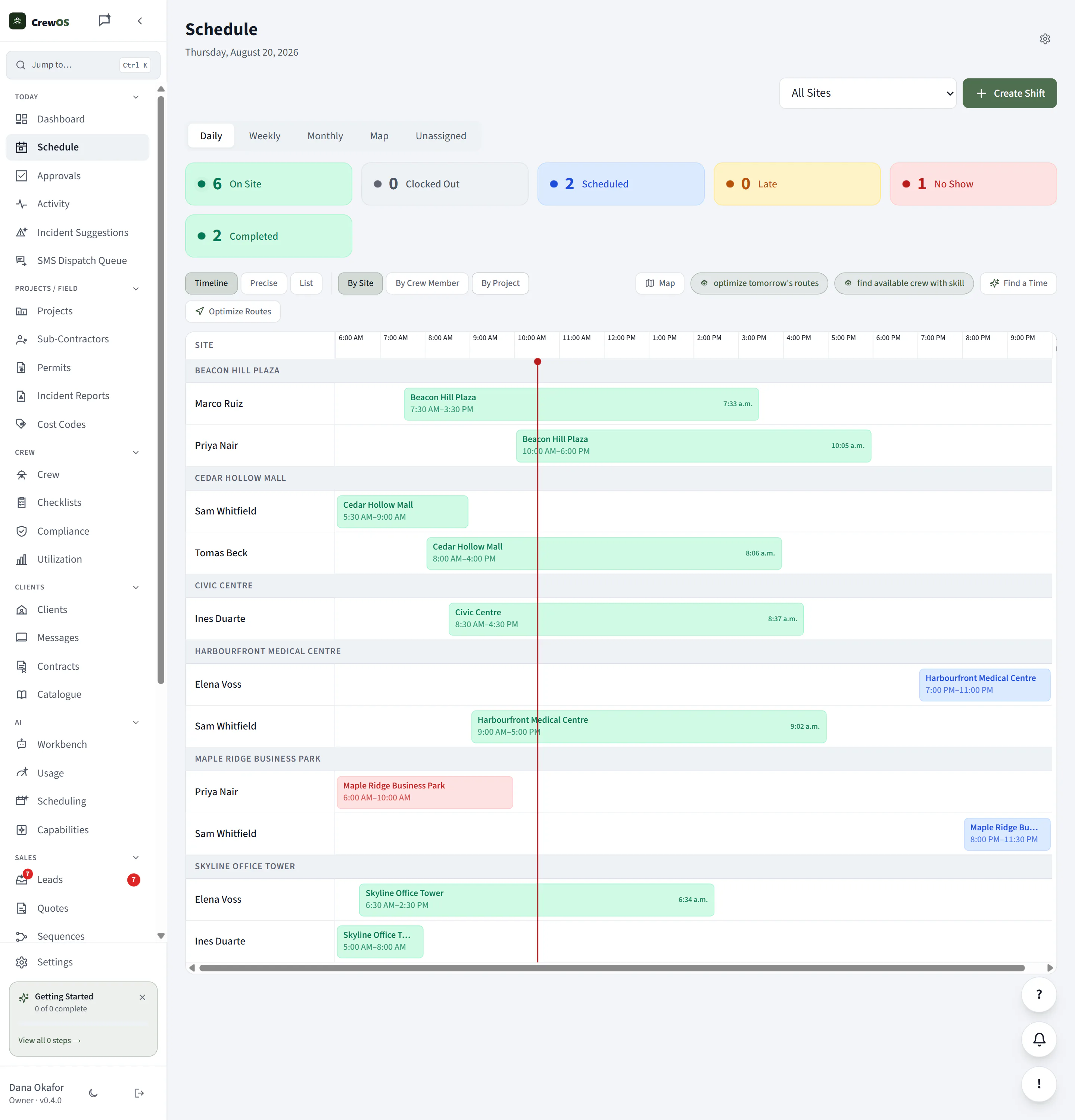
The day's schedule by property, with live status on every clean: On Site, Late, No Show, and Completed. The plan and what is actually happening on it, in one view.
This is the gap made visible. A scheduled clean sitting at No Show or Late is the exception surfacing itself, while you can still send someone.The day's schedule by property, with live status on every clean: On Site, Late, No Show, and Completed. The plan and what is actually happening on it, in one view.
app.crewos.ca/checklists
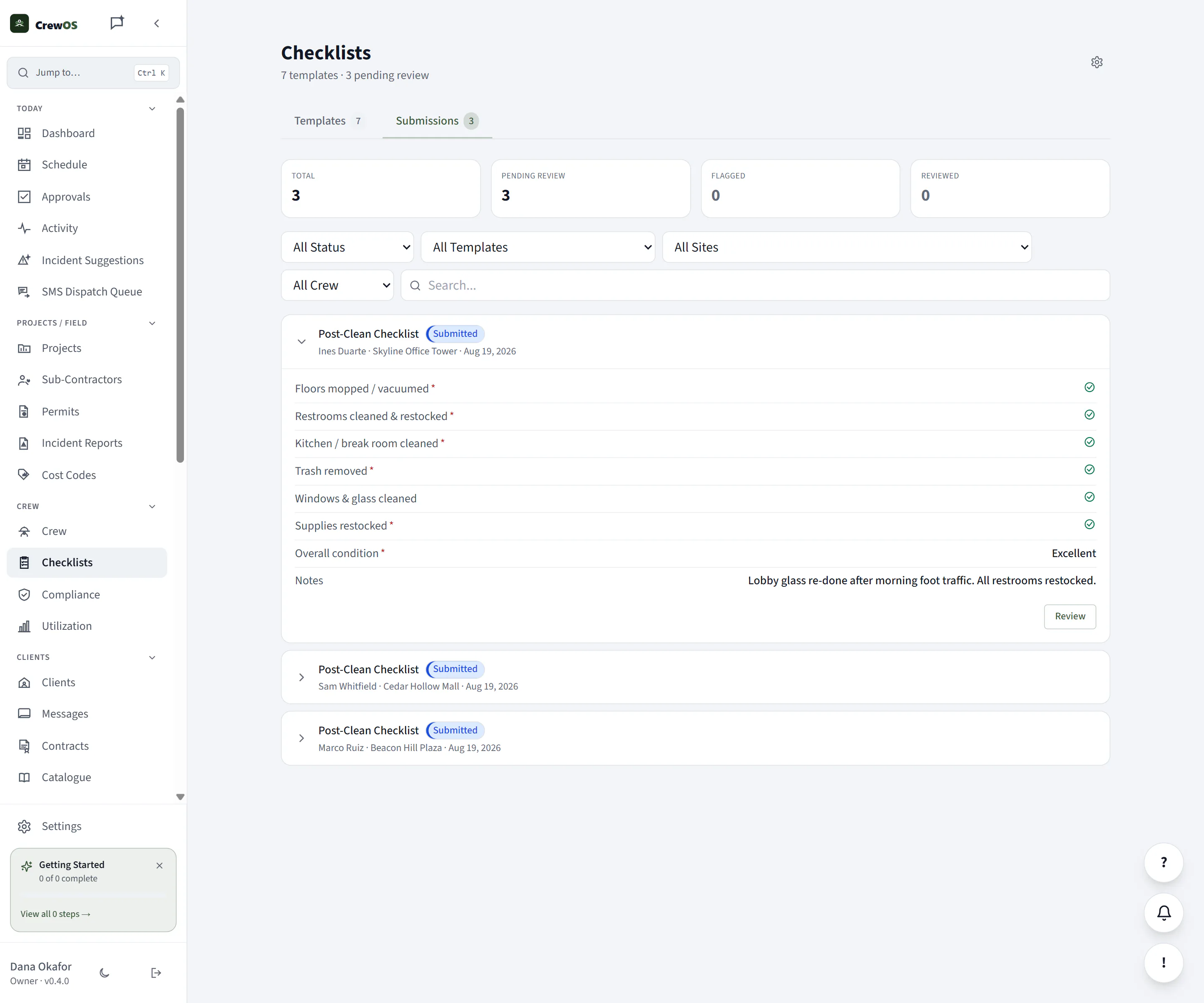
Cleaners submit completion checklists per property, and submissions land in a review queue. Completion becomes evidence you can open, not a claim you take on trust.
The direct answer

How do I know a cleaning crew actually showed up and finished the job?

CrewOS shows live status on every scheduled clean, so you can see which properties are On Site, which are running Late, and which are a No Show. Completion checklists submitted from the property turn we cleaned it into evidence you can open, per site and per visit.

Status updates as the crew clocks in and out at the property, not from a timesheet entered later, so the schedule reflects what is actually happening on the ground.

The outcome

You know a property was serviced, with evidence, before the client has to tell you it wasn't.

The disputed-invoice conversation changes when you can open the record: on site at this time, completion submitted, exceptions handled. You defend the work with evidence, not your word against theirs.

One platform, your words

Configured in Commercial Cleaning terms, out of the box.

SiteProperty
Crew memberCleaner
ShiftClean
ClientClient
Required documentWHMIS
Questions

What operators ask before they switch.

What if a cleaner forgets to clock in?
Then the property does not move to On Site, and it shows as Late and then a No Show on the schedule. That is the point: the gap is visible while you can still send someone, instead of surfacing weeks later on an invoice the client is refusing to pay.
Is this just a timesheet?
No. A timesheet is entered after the fact. CrewOS updates the schedule as the crew clocks in and out at the property, and pairs it with a completion checklist, so attendance and completion are evidence, not a claim someone types in later.
What counts as completion evidence?
A submitted checklist per property, held in a review queue. You decide what each checklist requires, so completion means the scope you defined was recorded as done, not just that time was logged.

Run your crew like you've got it together. Because now you do.

Set up your first site in an afternoon. Free to start, no card required.