No change gets built or billed without a signed change order.
Extra work starts on a phone call, the cost lands on a pay application a month later, and the owner disputes a change they never signed. CrewOS keeps a change order's cost and schedule impact out of the contract until it's signed, so a verbal go-ahead can't quietly turn into billed work.
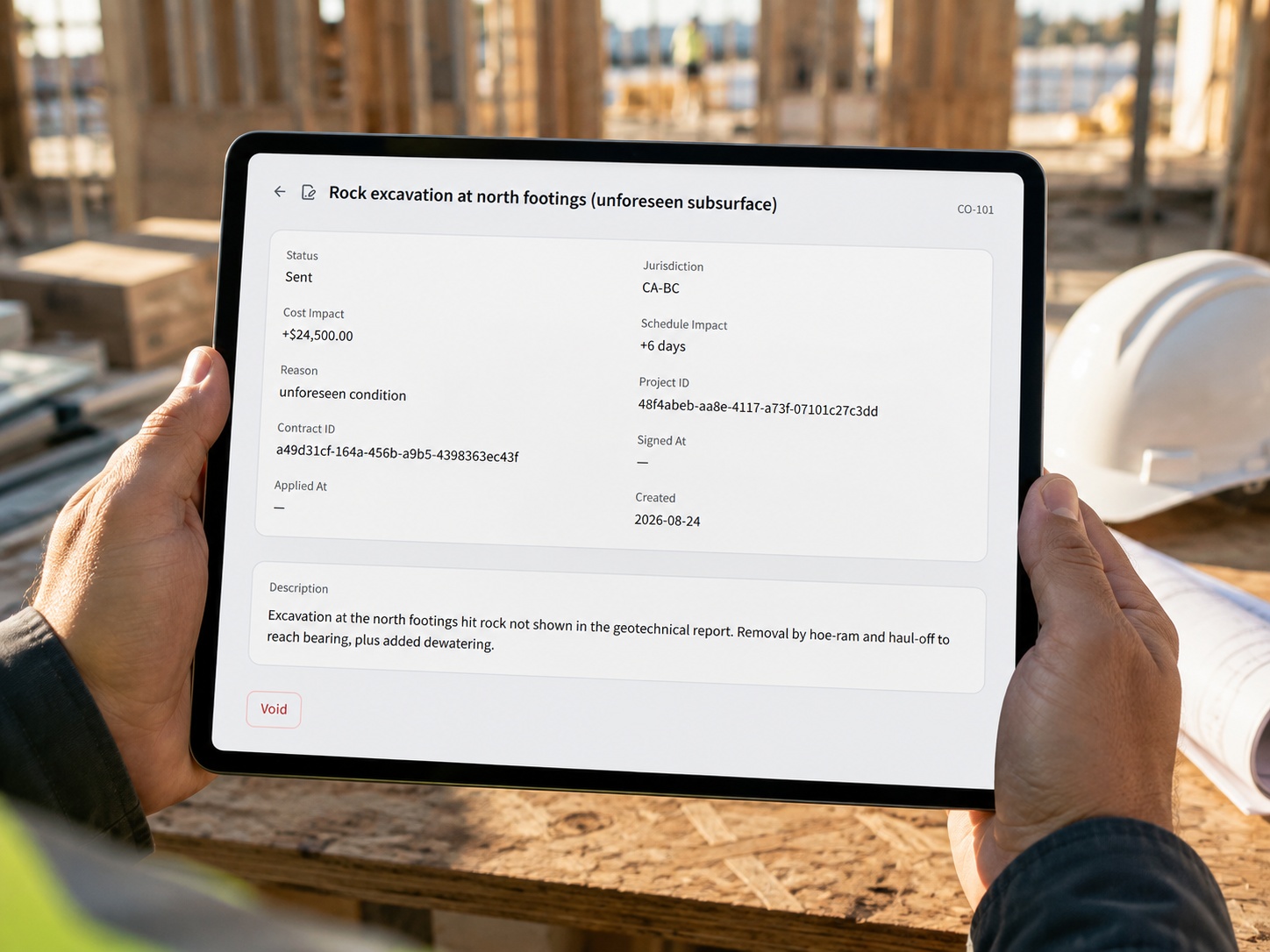
Extra work gets built and billed on a verbal go-ahead.
The owner says press on, the crew does the work, and the cost shows up on a pay application weeks later. There is no signed change order behind it, because the change order was never written, sent, or signed. On paper the job is moving. The dispute is already loaded.
An unsigned extra is the line item that never gets paid.
When the owner questions a change they never signed, you cannot make them pay for it, so you eat the cost or you fight for it and sour the relationship. A few of those across a project and the margin you bid is gone, along with the owner's trust that your numbers are straight.

The change is priced, sent, and signed before it can touch the contract.
- 1Every change becomes a change order with its cost impact and schedule impact recorded, so the price of the extra and the days it adds are on the record before the work goes ahead.
- 2The change order is sent to the owner for signature, and it sits unsigned, with nothing applied, until they sign it.
- 3Only a signed change order can be applied. Until the signature lands, the change can't roll into the contract sum or a pay application, so an extra can't quietly become billed work.
See it happen.
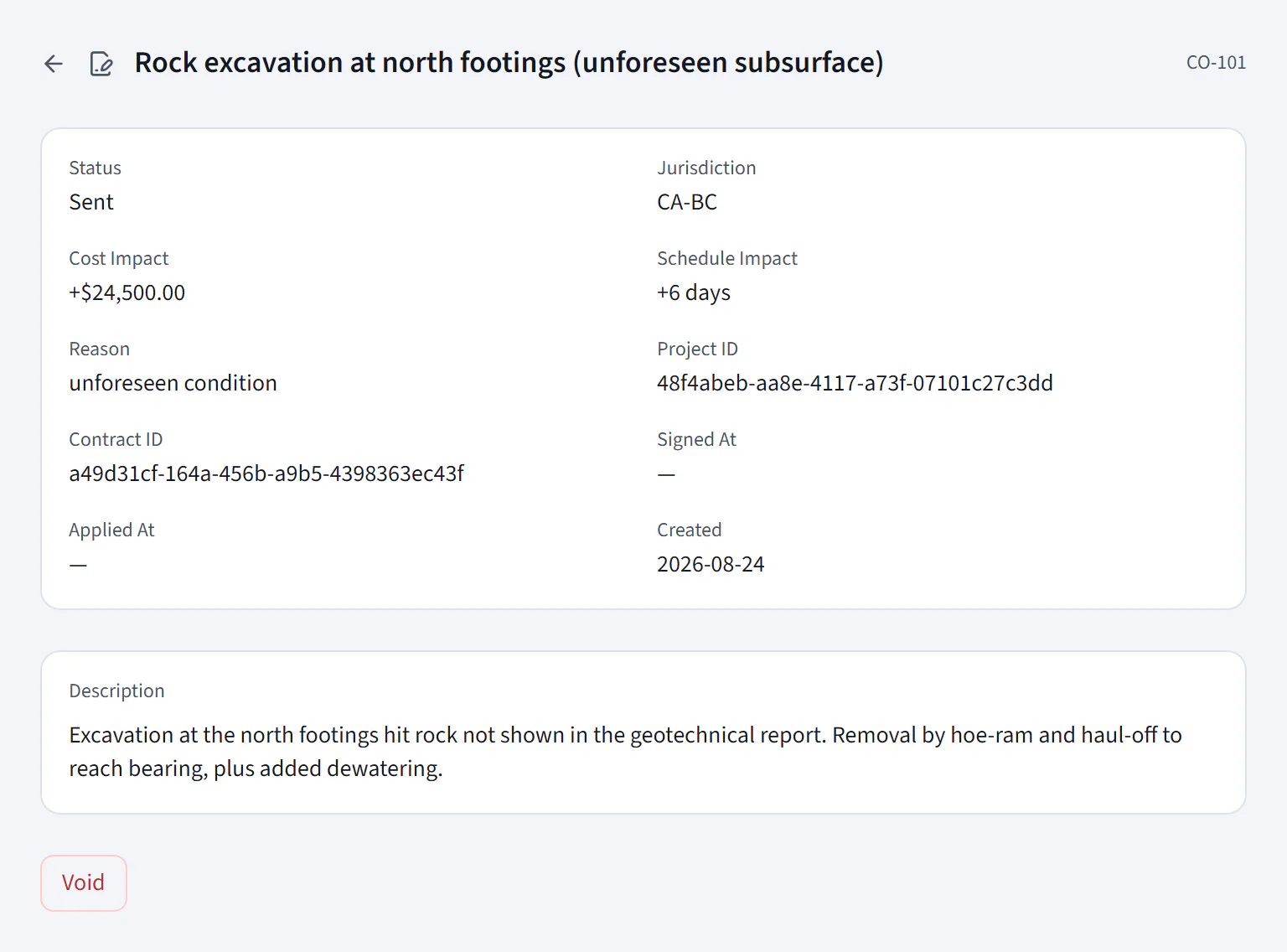
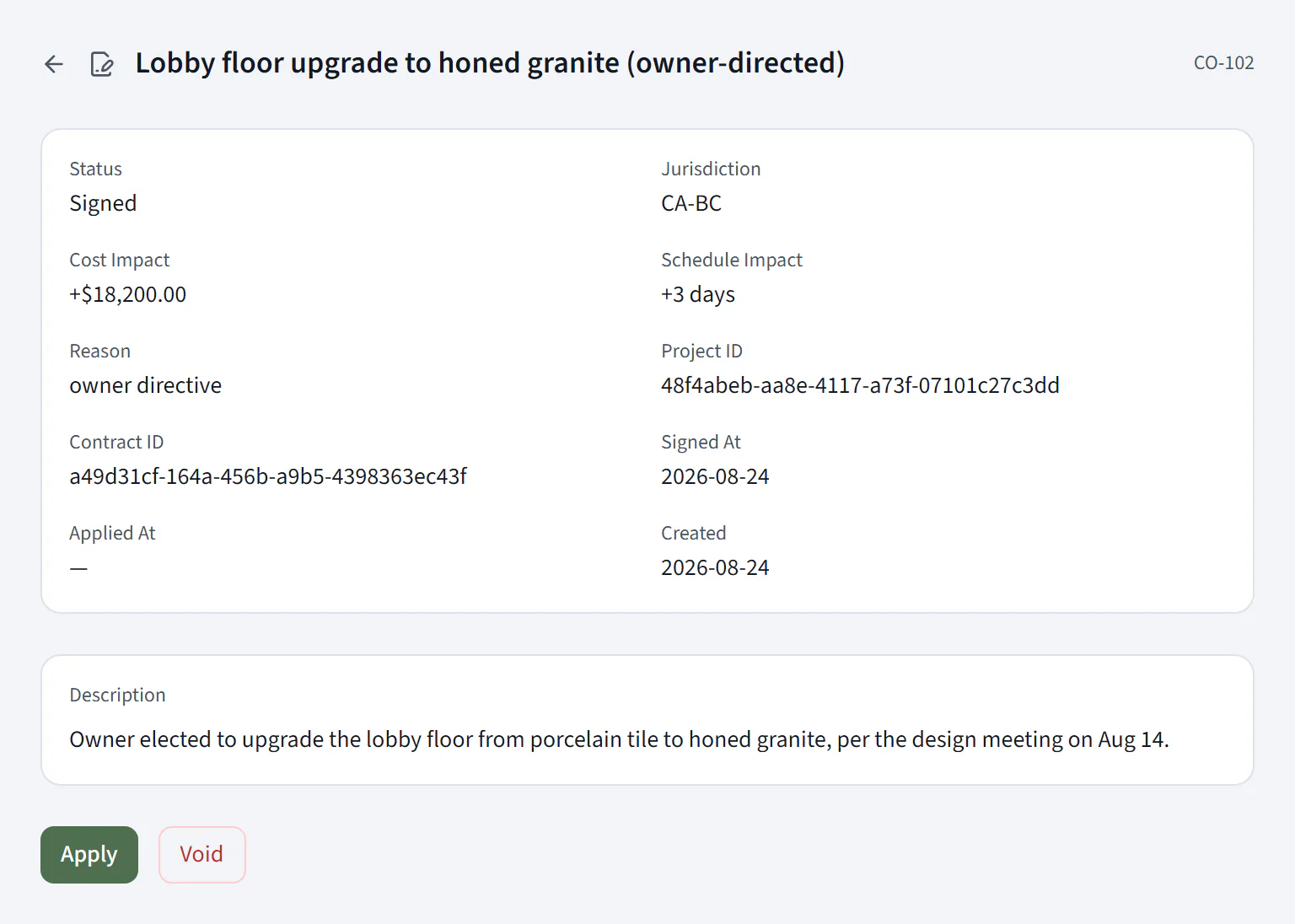
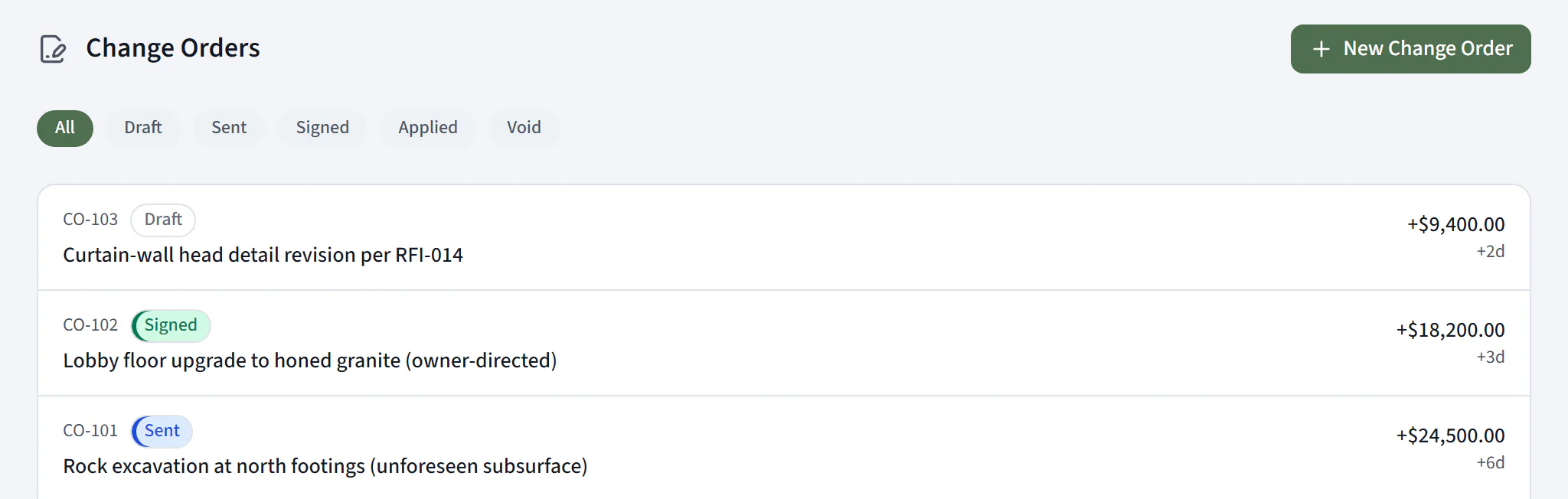
Can CrewOS stop a change order from being billed before it's signed?
Yes. A change order carries its cost and schedule impact from the moment it's drafted, but it can only be applied to the contract once it's signed. Until the owner's signature lands, the change can't roll into the contract sum or a pay application, so an unsigned extra can't be billed.
The gate is the change order's own status. A draft or sent change order has no Apply action; the Apply action exists only once the status reaches signed, and applying it is what rolls the cost and days into the contract.
The whole job runs in one system, not just the changes to it.
Projects and job sites
Every job is a project with its schedule, budget, subs, and field activity in one place, instead of spread across spreadsheets and group texts.
Subcontractors
Track the subs on each job, the trades they cover, and the documents they owe you, so you know who is cleared to be on site.
Permits
Keep each job's permits and their status on the project, so the paperwork a job depends on is tracked, not chased down later.
Cost codes
Code labor and costs to the job so the budget reflects what is actually being spent, line by line, as the work happens.
Crew scheduling and compliance
Schedule the crew across jobs, and CrewOS checks the tickets and licences a job requires before a worker can clock in.
Invoices and pay applications
A signed change order rolls into the contract and out to the pay application, so what you bill matches the scope the owner approved.
Every extra on the job is authorized before it's billed.
The change conversation happens once, in writing, before the work rolls into the contract, not in a dispute after the pay application goes out. You get paid for the extras you did because the owner signed for them, and the number you bid is closer to the number you keep.